
A prerequisite override request is a formal petition asking a department, instructor, or registrar to let you enroll in a course despite missing the standard prerequisite, usually filed through a department eForm, an online petition, or a direct email. Your instructor or department almost always holds approval authority, not the registrar, so your first move is finding the correct form and gathering proof you can handle the coursework. Do that before the term’s add deadline and you avoid the scramble that sinks most last-minute requests.
TL;DR:
- Most departments, not the registrar, approve prerequisite override requests, so verify the correct submission channel before applying.
- Supporting evidence such as transcripts, course syllabi, or instructor confirmation significantly increases the chances of approval.
- Submit the request early with all required details and labeled attachments to avoid missing deadlines or approval delays.
- Approval typically grants permission to enroll but does not automatically add you to the course; you’ll need to register manually once approved.
- Denials often result from insufficient evidence or enforced skill sequences, but early planning helps avoid last-minute override emergencies.
Table of Contents
- Who Approves a Course Prerequisite Appeal, and Where Do You Send It?
- What Belongs in Your Written Justification and Supporting Documents?
- How Do You Actually Submit the Request Step by Step?
- How Long Does Approval Take, and What Happens Once You Get It?
- What If Your Request Gets Denied?
- Why Early Planning Beats Emergency Override Requests
- A Planning Tool That Catches Prereq Gaps Before They Become Emergencies
- Where to Check Your School’s Exact Override Process
- Sources
- FAQ
Who Approves a Course Prerequisite Appeal, and Where Do You Send It?
The course instructor or the department that owns the class almost always makes the call on a prerequisite override, not the registrar’s office. The registrar usually steps in only to process a temporary clearance so you can register while paperwork finishes, or to handle the final transcript once it arrives.
Every school routes these differently, which is exactly why so many requests land on the wrong desk. Before you write a word of justification, check where your specific department wants the request sent.
- Look up the course in your school’s catalog or schedule of classes. Many list the override contact right next to the prerequisite text.
- Check the department’s own advising or registration page. Some subjects publish a dedicated override form; others just list an email.
- Ask your academic advisor if you’re unsure. They deal with this weekly and know the shortcut.
- Confirm whether your school uses a centralized system (Workday, LionPATH, Banner) or a standalone department form. The workflow, and the paperwork it wants, differs by platform.
Guessing wrong here doesn’t just waste time. A request sent to the registrar when the department handles overrides can sit unread for days while your seat in the class disappears.
What Belongs in Your Written Justification and Supporting Documents?
The justification is the part that actually decides your outcome, not the form itself. Advisors at Penn State’s College of Health and Human Development are explicit about this: a plain request with no evidence rarely gets approved, but a request that maps your prior learning to the course’s actual outcomes usually does.
Four kinds of evidence carry the most weight:
- An unofficial transcript showing the equivalent course and grade.
- A syllabus excerpt from that prior course, especially the learning outcomes section.
- A short email from an instructor confirming you demonstrated the relevant skill.
- Grade reports from closely related coursework if you never took an exact equivalent.
Don’t just list a course title and assume the reviewer will connect the dots. Write two or three sentences mapping specific learning outcomes from your prior course to what the new prerequisite is supposed to guarantee. That mapping is what separates an appeal that gets read carefully from one that gets a form-letter denial.
A workable justification template looks like this: “I completed [Course Name] at [Institution] in [Term], earning a [grade]. That course covered [specific skill/topic], which directly parallels the [skill] this prerequisite is meant to establish. I’ve attached my unofficial transcript and the course syllabus as supporting evidence.”
If your prerequisite is still in progress, or your transfer credit is pending, say so plainly and attach your current unofficial transcript along with your expected grade. Certifications or a portfolio can substitute in some technical or arts courses, but confirm that’s acceptable before you rely on it.
Pro Tip: Keep your justification under five sentences. Reviewers handle dozens of these during peak registration, and a tight, evidence backed paragraph gets read faster than a long personal story.
How Do You Actually Submit the Request Step by Step?
Most schools want a version of the same core information, whether it comes through an online system or a plain email; if you’re interested in expanding your qualifications, visit the admissions page at Minnesota Cannabis College to explore educational opportunities. Before you touch the form, have these ready:
- Your student ID number
- The exact course subject, number, and section
- The term you’re requesting
- A two to three sentence reason (pull this from your justification paragraph)
- Your attachments, saved as clear, labeled files
If your school uses a system like Workday, Banner, or LionPATH, the flow generally runs: select the course, choose the prerequisite override request option, answer a short triage questionnaire, attach your documents, and submit. Answer the questionnaire prompts concisely. Departments use those short answers to sort urgent cases from routine ones.
If your department instead uses a Google form or plain email, use a subject line that states exactly what you need. Something like “Prerequisite Override Request: BIO 201, Section 3, Fall 2026” gets triaged faster than a vague subject like “Question about registration.”
Name your attachments so a reviewer can identify them instantly. A file named 90012345_BIO201_F26_unofficial-transcript.pdf beats one named scan001.pdf every time, and it cuts down on the back-and-forth emails asking you to resend or relabel something.
How Long Does Approval Take, and What Happens Once You Get It?
Processing commonly takes 3 to 5 business days, with the decision arriving by email. Build that window into your plan. If you’re requesting an override the week before classes start, you’re cutting it close.
Here’s the detail that trips up the most students: approval often means permission to enroll, not automatic enrollment; you typically still have to add the course manually in the registration portal. You typically still have to go into the registration portal yourself and add the course, exactly as Penn State’s override guidance notes for its own students. Check the portal the moment you get the approval email.
If your prerequisite was in progress or your transfer credit was pending, your clearance is likely provisional. Hancock College’s appeals process requires an official transcript showing a grade of C or better by a set deadline, or the student risks an administrative drop. Confirm your school’s exact deadline and mark it somewhere you’ll actually see it.
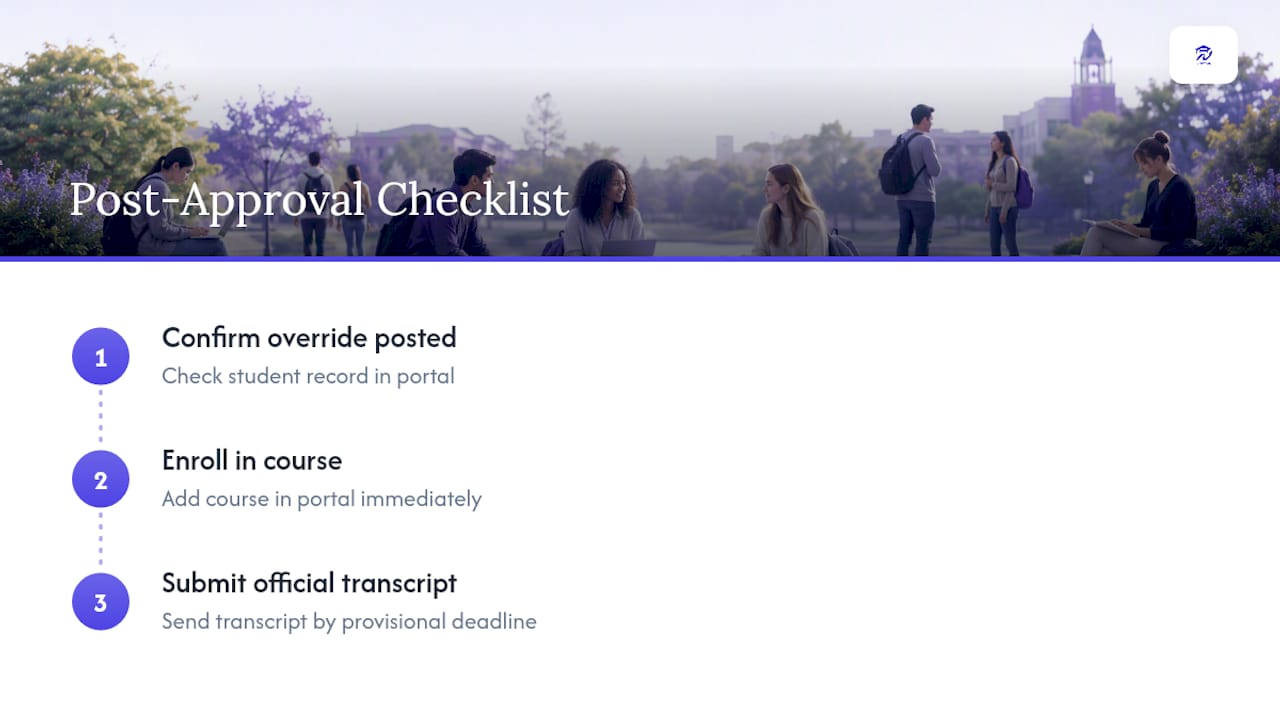
Quick post-approval checklist: verify the override shows up against your record, enroll in the course right away, and submit your official transcript before the deadline your provisional clearance specifies.
What If Your Request Gets Denied?
Denials usually come down to one of three things: thin evidence, a prerequisite that enforces a real skill sequence the department won’t waive, or simply no open seats left in the section.
- Add stronger evidence. A syllabus mapping or a direct instructor endorsement often changes the outcome on a resubmission.
- Ask specifically what was missing. Departments will usually tell you if you ask directly.
- Escalate to a standards or petitions committee if the department stands by its denial and you believe your case is solid.
- Consider the equivalent course, a later term, or an advisor-approved substitution if the override path is genuinely closed.
None of these routes are guaranteed, and a denial doesn’t have to derail your degree timeline if you catch it early enough to adjust your plan.
Why Early Planning Beats Emergency Override Requests
Most override scrambles trace back to one root cause: nobody mapped the prerequisite chain early enough to catch the gap. When you can see your whole degree plan mapped term by term, including transfer credits and in-progress courses, missing prerequisites show up months before registration instead of the night before. I’d rather see students spend ten minutes checking a “what if” schedule scenario now than write an emergency justification later.
— Ryan
A Planning Tool That Catches Prereq Gaps Before They Become Emergencies
This planning tool helps flag a missing prerequisite while you’re still building next term’s schedule, not the week registration opens.
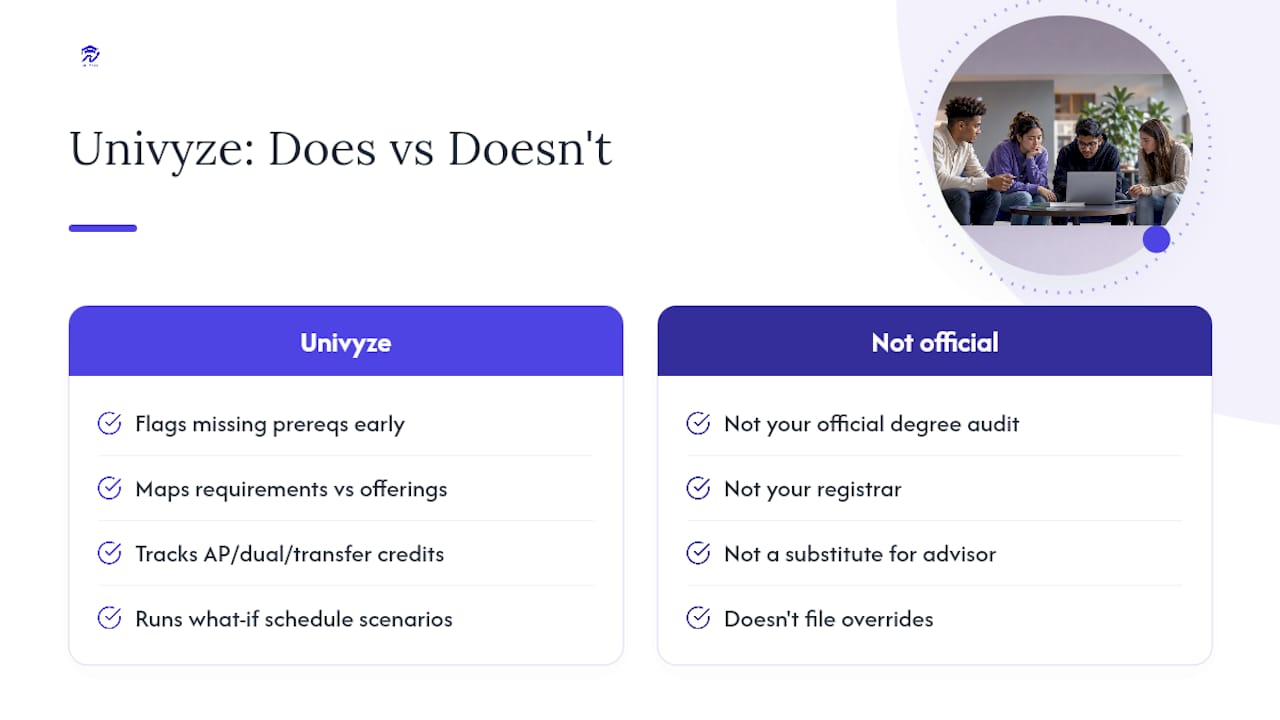
The dashboard maps your degree requirements against actual course offerings, tracks AP credit, dual enrollment, and transfer credits, and runs what-if scenarios so you can see how a schedule change ripples through future terms. That’s genuinely useful groundwork, but it’s worth being direct about what Univyze is and isn’t: it’s a planning tool, not your official degree audit, your registrar, or a substitute for your academic advisor. Always confirm requirements against your school’s catalog and official audit before you register.
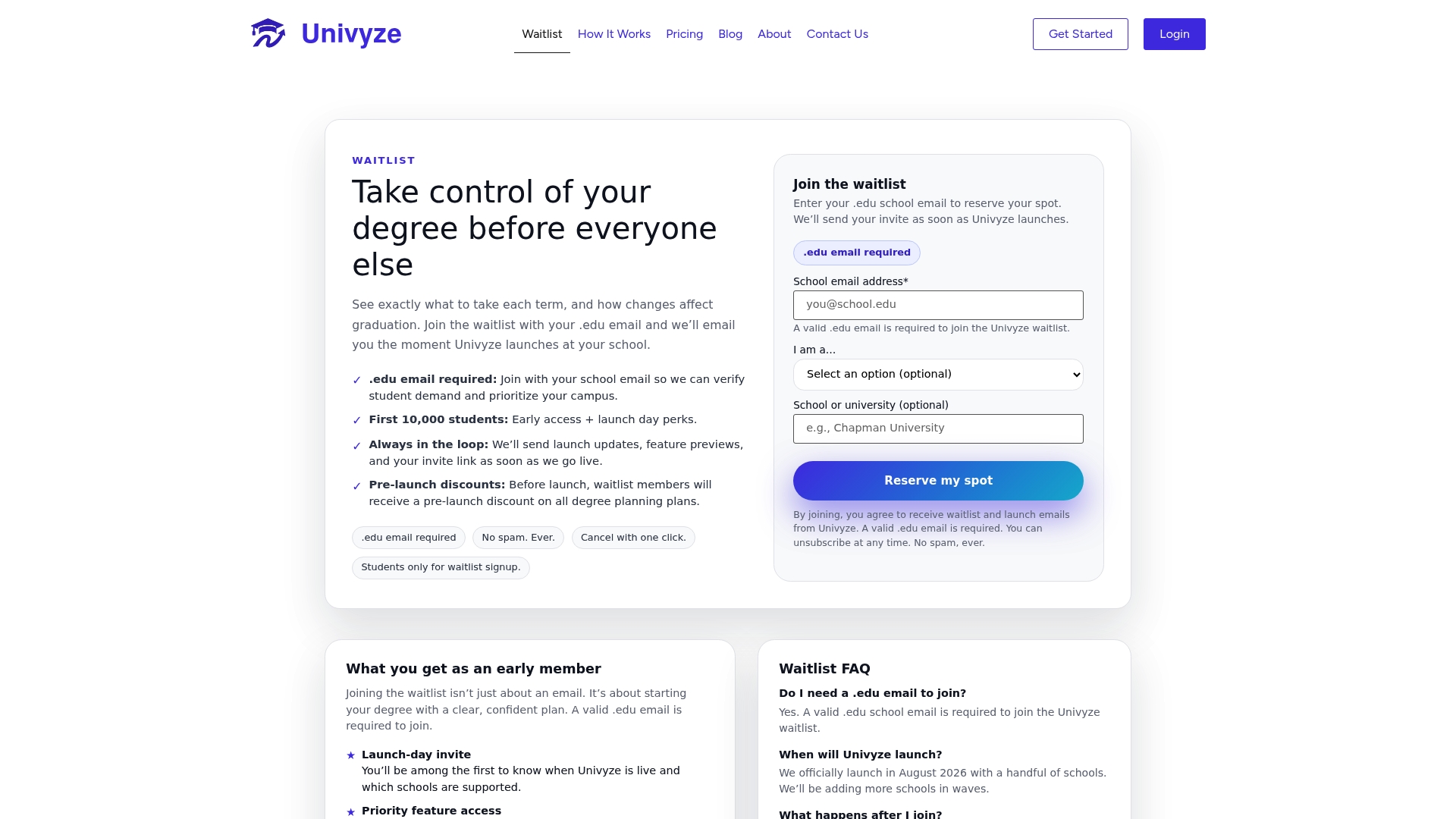
Parents managing registration alongside their student can get the same term-by-term view, which means fewer surprise calls about a locked course three days before the semester starts. If catching a prerequisite gap in October sounds better than filing an override in January, join the Univyze waitlist, and get early access when it opens.
Where to Check Your School’s Exact Override Process
Official policies vary by campus, so verify your specific process against your own registrar and department pages. Examples worth reviewing include CU Denver’s advising office and Wright State’s enrollment services, both of which lay out subject-specific steps clearly.
Sources
- Prerequisite Overrides | Undergraduate Advising | CU Denver
- Prerequisite Override Request | Penn State College of Health and Human Development
- Request Course Section Prerequisite Override in Workday | Stevens Support Portal
- Prerequisite Override Process | Wright State University
FAQ
What Does “Prerequisite Override Request” Mean?
It’s a formal petition asking a department or instructor to let you register for a course despite not meeting the listed prerequisite, typically submitted through an eForm, petition, or email with supporting evidence.
How Do I Request a Prerequisite Override at Penn State?
Penn State’s College of Health and Human Development asks students to submit a written justification with supporting documentation, such as an unofficial transcript or syllabus, through its department process rather than a general registrar form.
How Do I Bypass a Course Prerequisite?
You generally can’t skip a prerequisite outright. You request an override by proving equivalent learning through prior coursework, transfer credit, or instructor sign-off, and the department decides whether that evidence qualifies.
How Do I Request a Prerequisite Override at UTSA?
UTSA students should check their specific department’s registration or advising page for the exact form and contact, since override processes are typically handled at the subject level rather than through one central university office.
What Happens if My Override Is Approved but I Don’t Enroll Right Away?
Approval usually grants permission to enroll, not an automatic seat, so you need to add the course yourself in the registration portal before the seat or your window to register closes.