
Tracking college student graduation progress means regularly using digital degree audits and planning tools to monitor which degree requirements you have completed, which remain open, and what deadlines are coming up. Most students do not realize that two separate tools exist for this purpose: a degree audit, which shows your current standing, and a degree plan, which maps your future semesters. Using both together is the most effective way to stay on schedule and avoid costly surprises. This guide walks you through the tools available, how to read them accurately, and the planning habits that keep graduation on track.
What tools are available to track college student graduation progress?
Two categories of tools exist for monitoring your degree: degree audit reports and interactive degree planners. Each serves a different purpose, and confusing them is one of the most common student mistakes.
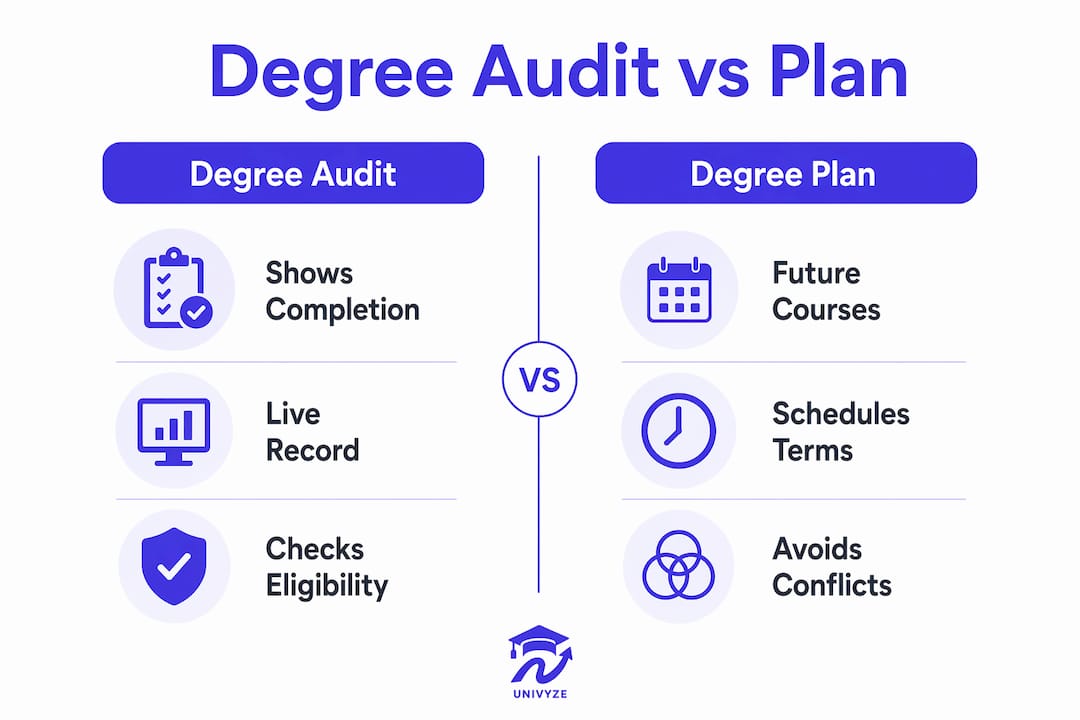
A degree audit report (sometimes called a Degree Progress Report or DPR) is a live snapshot of your academic record. It shows every requirement for your major, general education, and electives, then marks each one as satisfied or not satisfied based on your completed and in-progress coursework. Tools like the Panther Degree Audit at FIU and the Degree Progress Report at Palomar College are typical examples of this category. Degree audits are accessible 24/7 through your university’s student portal, with no appointment needed. That means you can check your standing at midnight before registration opens.
A degree plan is different. It is a forward-looking schedule that maps which courses you intend to take each semester until graduation. Some universities offer interactive planners, like UCF’s Pegasus Path, that let you drag and drop courses into future terms and flag conflicts automatically.

Here is a quick comparison of the two tools:
| Feature | Degree audit | Degree plan |
|---|---|---|
| Shows completed requirements | Yes | No |
| Maps future semesters | No | Yes |
| Updates automatically | Yes (live) | Student-managed |
| Flags scheduling conflicts | No | Yes (in most systems) |
| Requires advisor approval | No | Sometimes |
Pro Tip: Run your degree audit before every registration period and again after grades post. That two-check habit catches errors before they compound.
Spreadsheets are a fallback option some students use, but they require manual updates every time a grade posts or a transfer credit clears. Automated systems update in real time and reduce the chance of missing a requirement. For most students, the combination of an official audit and an interactive planner beats any manual method.
How can students run and interpret degree audit reports accurately?
Reading a degree audit correctly is a skill. The report is organized by requirement category, and each section tells you something specific about where you stand.
Steps to run your audit
- Log into your university student portal (MyFIU, MyPalomar, or your school’s equivalent).
- Locate the degree audit or degree progress report link, usually under “Academics” or “Student Records.”
- Select your current catalog year and declared major.
- Generate the report and save a PDF copy immediately.
- Repeat this process at the start of each semester and again after final grades post.
Running the report twice per semester is the standard recommendation from institutional advising offices. The first run confirms your registration applied correctly. The second run confirms your grades posted to the right requirements.
What to look for in each section
- Satisfied requirements: Courses that have been accepted and applied to a specific requirement. Check that the right course landed in the right bucket.
- Not satisfied requirements: Open requirements you still need to fulfill. This is your active to-do list.
- In-progress courses: Classes you are currently enrolled in, shown as pending.
- GPA and residency notes: Some programs require a minimum GPA in the major or a minimum number of credits completed at your home institution.
- Transfer and test credits: AP scores, dual enrollment credits, and transfer coursework may appear here. Degree audits update live for enrollment changes, but transfer credits often require manual verification by an advisor before they appear correctly.
Pro Tip: Save a dated PDF of every audit you run. If a requirement gets miscategorized after a system update, your saved copy is the evidence you need to fix it.
One critical point: a degree audit is not a guarantee of graduation eligibility. It reflects the data in the system at the moment you run it. Always bring a printed or digital copy to your next advisor meeting so you can review open requirements together.
What strategies help students build a term-by-term graduation plan?
A degree audit tells you where you are. A term-by-term plan tells you how to get where you need to go. Building that plan proactively is the difference between graduating on time and discovering a missing requirement in your final semester.
Start by listing every unsatisfied requirement from your audit. Then sort those requirements by prerequisites. Some courses cannot be taken until you complete a foundation class, so sequencing matters more than most students expect. A multi-year degree plan built around prerequisites prevents the situation where you are stuck waiting a full year for a course that only runs in the fall.
- Balance your course load each semester. Stacking five difficult courses in one term to finish early often backfires. Spread demanding courses across semesters and pair them with lighter electives.
- Use what-if reports before changing your major. The what-if report feature lets you simulate a major or minor change without making it official. You can see exactly how many credits would transfer to the new program before committing.
- Account for AP, dual enrollment, and transfer credits early. These credits can satisfy general education or even lower-division major requirements. Understanding how these credits apply to your plan can shorten your time to graduation.
- Set alerts for graduation application deadlines. Most universities require you to apply for graduation one or two semesters before your expected finish date. Modern planning tools send automated alerts for these milestones so you do not miss the window.
Here is a simple semester planning framework:
| Semester goal | Action |
|---|---|
| Identify open requirements | Run degree audit and list unsatisfied items |
| Sequence courses correctly | Map prerequisites before selecting classes |
| Simulate major changes | Run what-if report before declaring a new major |
| Confirm credits applied | Verify transfer and AP credits with an advisor |
| Apply for graduation | Submit application one to two semesters early |
Pro Tip: Build your plan two full semesters ahead, not just one. Courses fill fast, and having a backup sequence ready prevents a single closed section from derailing your timeline.
Interactive degree planners let you build this roadmap visually, with drag-and-drop scheduling and automatic conflict detection. That kind of real-time feedback is something a spreadsheet cannot replicate.
What common mistakes should students avoid when tracking graduation progress?
Most graduation delays are preventable. They trace back to a small set of repeated mistakes that students make when they treat progress tracking as a one-time task rather than an ongoing habit.
- Relying only on the degree audit. The audit shows current standing, but it does not plan your future. Students who never build a forward-looking plan often discover unmet requirements too late to fix them without adding a semester.
- Not updating the plan after course changes. Dropping a class, switching sections, or adding a late-start course all affect your degree timeline. Every change requires a fresh audit run and a plan review.
- Missing graduation application deadlines. This is one of the most common and most avoidable delays. Most universities set the application deadline one or two semesters before your expected graduation date. Missing it pushes your official graduation to the next cycle.
- Assuming transfer credits applied correctly. Transfer credits are the most error-prone part of any degree audit. Degree audit tools may lag in reflecting transfer credits, which means you need an advisor to manually verify that every transferred course landed in the right requirement category.
- Skipping advisor meetings because the audit looks clean. A clean audit is a good sign, not a green light to stop checking. Digital degree audits shift advising from basic course tracking to deeper conversations about academic strategy and career planning. Those conversations are worth having even when everything looks fine on paper.
“Using digital tracking tools prevents last-minute surprises like missed credits that delay graduation and increase financial burden. Regular progress monitoring is the most direct way to protect your time and your tuition dollars.” — Education Advanced
The students who graduate on time are not the ones who check their audit once a year. They are the ones who treat it as a living document and review it every single semester. Pairing that habit with a clear graduation checklist makes the process far less stressful.
Key Takeaways
Combining a live degree audit with a forward-looking term-by-term plan is the most reliable method for staying on track toward graduation and avoiding costly delays.
| Point | Details |
|---|---|
| Use both audit and plan | A degree audit tracks current progress; a degree plan maps future semesters. Use both. |
| Run audits twice per semester | Check after registration and again after grades post to catch errors early. |
| Verify transfer credits manually | Automated audits may not reflect transfer credits accurately without advisor confirmation. |
| Use what-if reports proactively | Simulate major changes before committing to see the full impact on your timeline. |
| Never miss graduation deadlines | Apply for graduation one to two semesters before your expected finish date. |
Why I think most students track progress too late
Most students I have seen run their degree audit for the first time in their junior year. By then, the damage is already done. A missed prerequisite, a transfer credit that never applied correctly, or a general education requirement that slipped through the cracks. These are not complicated problems. They are invisible problems, and they stay invisible because students do not look.
The uncomfortable truth is that degree audits are not intuitive documents. The first time you open one, it looks like a wall of checkboxes and course codes. But once you learn to read the “not satisfied” sections as your actual to-do list, the whole thing clicks. That shift in perspective, from confusing report to personal roadmap, is what separates students who graduate on time from students who need an extra semester.
What I have found actually works is pairing the audit with a written plan, even a rough one, at the start of every academic year. That plan does not need to be perfect. It just needs to exist so you have something to update when things change. The students who do this consistently are the ones who walk into advisor meetings with specific questions instead of vague anxiety. Those meetings go faster, cover more ground, and produce better outcomes. The role of campus resources in graduation success is real, but only if you show up prepared to use them.
— Ryan
How Univyze helps you plan smarter and graduate on time
Degree audits tell you where you stand. Univyze helps you figure out what to do next.
Univyze is a degree planning tool that connects your remaining requirements to real course offerings, term by term. It accounts for AP credits, dual enrollment, transfer credits, and summer sessions so your plan reflects your actual situation, not a generic template. The term-by-term planning dashboard shows you exactly which courses to take each semester, flags conflicts before they happen, and lets you run what-if scenarios when you are considering a major change. Parents can also view progress, which reduces a lot of the back-and-forth that usually happens at the end of a semester. If you want a clearer picture of your path to graduation, join the Univyze waitlist and get early access when it opens.
FAQ
What is a degree audit and how does it work?
A degree audit is a live report that compares your completed coursework against your degree requirements and marks each requirement as satisfied or not satisfied. It updates automatically when you register for classes or when grades post at the end of a semester.
How often should I run my degree audit?
Run your degree audit at least twice per semester: once after you register to confirm your courses applied correctly, and once after final grades post to verify everything updated as expected.
What is the difference between a degree audit and a degree plan?
A degree audit shows your current academic standing based on completed coursework. A degree plan is a forward-looking schedule that maps which courses you will take each future semester to finish your degree.
Can I change my major without losing progress?
The what-if report feature lets you simulate a major change and see exactly which completed credits would apply to the new program before you make any official changes.
Do degree audits include transfer credits automatically?
Degree audits update live for enrollment and grade changes, but transfer credits often require manual verification by an advisor before they appear correctly in the system.