
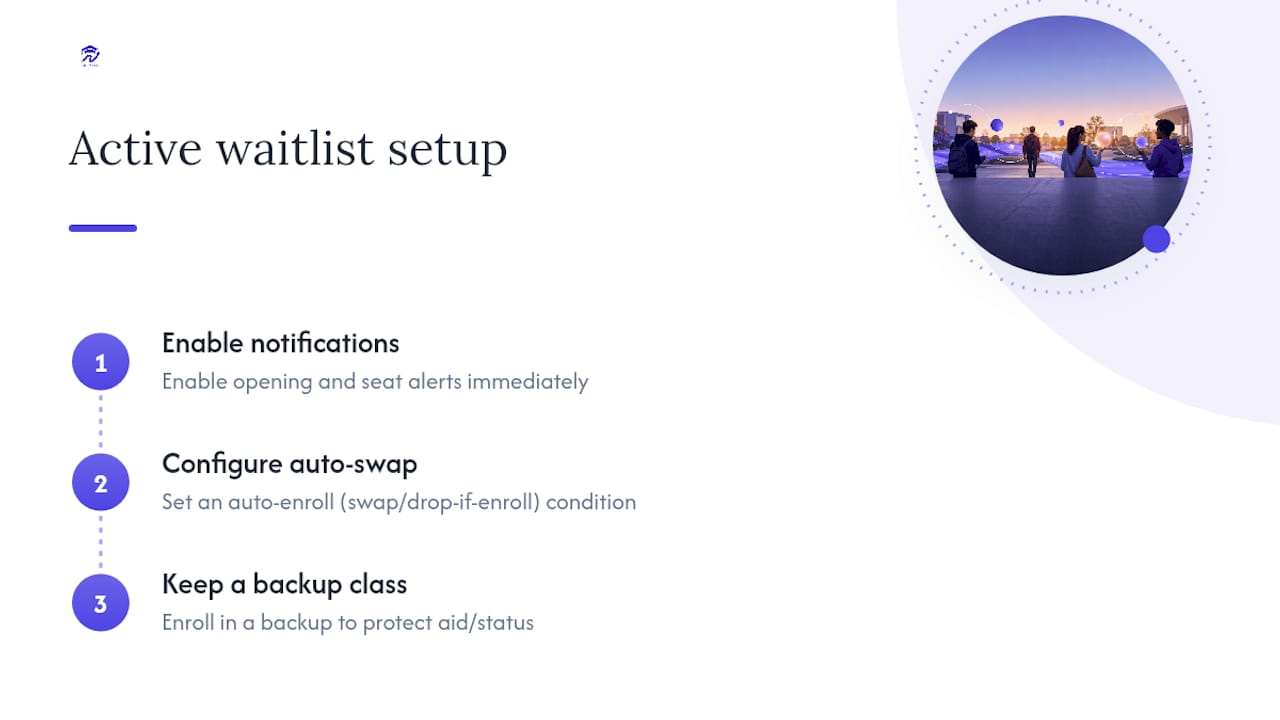
Set alerts, set up a swap or “drop if enroll,” and register in a guaranteed backup class. Those three moves protect your graduation timeline the moment a required course shows a waitlist number instead of an open seat. Everything else, from emailing professors to crashing the first lecture, matters, but those three actions come first and take less than 20 minutes total.
TL;DR:
- Setting alerts, swap conditions, and backup classes within the first week of registration gives students a significant advantage in securing required courses from waitlists.
- Monitoring open seats through registrar or third-party apps and acting within roughly 24 hours maximizes the chance of claiming a waitlisted spot before it passes to others.
- Using auto-enroll features like swap and drop if enroll reduces enrollment errors and ensures students automatically secure an open seat without manual intervention.
- Contactting instructors with a concise email and attending initial classes can improve chances of being added off a waitlist, especially in smaller discussion-based courses.
- A good backup plan involves registering for a different section or transfer alternative to maintain full-time status and protect financial aid eligibility while waiting.
Table of Contents
- What Is the Best Waitlist Strategy for a Required Class?
- How Do I Monitor Openings So I Don’t Miss a Seat?
- How Does Swap and Drop-If-Enroll Prevent Enrollment Errors?
- How Should I Contact a Professor to Get Off the Waitlist?
- What’s a Good Backup Plan If I Don’t Get the Class?
- How Does a Planning Dashboard Lower Waitlist Risk?
- How Do You Track Waitlist Movement Over Time?
- When Should You Follow Up With Advisors or the Registrar?
- How Do You Handle Waitlists During Peak Registration or Outages?
- The Difference Between Students Who Get Stuck and Students Who Don’t
- Join the Univyze Waitlist and Plan Around Any Required Class
- Sources
- FAQ
What Is the Best Waitlist Strategy for a Required Class?
The most effective waitlist strategy treats the wait like an active project, not a waiting room. Turn on notifications the second you join a waitlist, build a swap condition so the system enrolls you automatically, and hold a real backup class so your financial aid and full-time status never depend on a maybe. Students who set this up in the first week of registration consistently beat students who just refresh the portal and hope.
How Do I Monitor Openings So I Don’t Miss a Seat?
Set alerts through your registrar portal first. Many schools also allow third-party notification apps that check your section every few minutes and text or email you the moment a seat frees up. If your required course has more than one section, or a cross-listed equivalent, add alerts to all of them. Openings can hit any section, and popular ones fill within minutes.
Waitlist size usually scales with class size. Courses with under 10 total seats often carry a waitlist equal to that same capacity, while larger lecture courses commonly allow waitlists of 10 to 20 or more. That means a 300-person lecture with a waitlist of 20 moves differently than a 12-person seminar with a waitlist of 8. Know which kind of course you’re dealing with before you decide how hard to work the manual angle versus trusting automation.
Statistic Callout: Many registrars give students roughly 24 hours from the notification email to claim an offered seat before it passes to the next person in line. Miss that window, and you start over at the back of the line.
When the notification lands, move fast:
- Clear any registration holds (advising, financial, immunization) before you try to claim the seat.
- Confirm you meet the prerequisite on record, since some systems reject the claim silently if it doesn’t match.
- Drop a time-conflicting course yourself, or make sure your swap condition already handles it, so the system doesn’t skip you and move to the next student.
How Does Swap and Drop-If-Enroll Prevent Enrollment Errors?
“Swap” and “drop if enroll” let you stay enrolled in a backup class while telling the system to automatically drop it the instant your waitlisted class opens up. It’s the single best defense against the most common way students lose their spot: a technical rejection they never see coming.
Auto-enroll systems run on their own schedule, sometimes hourly, sometimes once overnight, and they check specific conditions before handing you the seat. If any condition fails, the system skips you and moves to the next person in line, often without a clear explanation in your inbox.
Set this up before waitlist activity starts, not after:
- Log into your student portal and locate the waitlist or swap settings under registration.
- Select the waitlisted course as your target and your current backup as the course to drop automatically.
- Confirm the swap by checking that both courses show correctly linked, not just added separately.
- Test it mentally against known failure points: a hold on your account, an unmet prerequisite, a lab or recitation that doesn’t match, or a straight-time conflict with another class.
- Recheck the setting after any schedule change, since editing one course can quietly break the swap condition.
Pro Tip: Set your swap condition the same day you join the waitlist. Waiting until the week before finals to configure it is exactly when the system tends to run its enrollment sweep, and a broken condition costs you the seat with zero warning.
How Should I Contact a Professor to Get Off the Waitlist?
Email the instructor directly, and keep it to four to six sentences. State your year, your major, the exact section number and time, and a specific ask: whether they issue add codes and if there’s room for one more. Vague emails asking to “get into the class” read as lazy and rarely get a response.
Then show up. Attending the first one or two class meetings while officially waitlisted is one of the most commonly recommended tactics for getting off a waitlist, especially in smaller, discussion-based courses where the professor notices who’s actually present. Larger lectures rely more on the automated queue, so your odds there depend more on speed than on showing your face.
After class, approach the instructor briefly and politely. Don’t ambush them mid-lecture or during someone else’s question. A few practical limits apply no matter how good your pitch is:
- Fire codes and room capacity can hard-cap a section regardless of instructor goodwill.
- Lab and studio courses often can’t add students past equipment or safety limits.
- Some departments require a registrar override, not just an instructor’s word, so ask what the actual next step looks like.
If you need a formal request in writing, a short prerequisite override template keeps your ask professional and specific. For the full mechanics of getting bumped up a waitlist, this step-by-step waitlist guide walks through the sequence in more detail.
What’s a Good Backup Plan If I Don’t Get the Class?
Pick a backup that keeps you at full-time enrollment, since waitlisted courses typically don’t count toward your enrolled hours for financial aid or housing purposes until you’re officially moved onto the roster. Register for it now, drop it later if your waitlisted seat comes through.
Good backup options, roughly in order of how much they protect your plan:
- A different section of the same required course, if one exists with open seats.
- A cross-listed or equivalent course your advisor has already confirmed satisfies the same requirement.
- A summer session or approved transfer course, verified for transferability before you assume it counts.
- A general education or elective course that keeps your credit load intact while you sort out the sequencing.
Statistic Callout: Some schools cap how many waitlist credit hours you can hold at once. The University of North Carolina, for example, allows up to 12 waitlist credit hours in fall and spring terms and 8 in summer. Stack too many waitlists at once and you may hit that ceiling before you hit a solution.
If you’re weighing transfer credit as part of the backup plan, especially credit earned outside your home institution, a guide to transferring university credits internationally covers what documentation that process usually requires. When a required course keeps stalling out semester after semester, that’s the moment to ask your advisor whether the sequence itself needs to change, not just the section.
How Does a Planning Dashboard Lower Waitlist Risk?
A degree-planning dashboard doesn’t get you off a waitlist faster. What it does is show you, before registration even opens, which courses are actually load-bearing for your timeline and which ones have flexible alternatives. That distinction changes how you react when a waitlist notification hits your inbox.
Univyze maps your degree requirements against live course offerings, so you can see term by term which classes are true bottlenecks and which have safe substitutes. Three features matter most here:
- What-if scenarios: model what happens to your term-by-term plan if a required class stays full, including how AP credit, dual enrollment, or a summer session might absorb the delay.
- Alternate-section suggestions: see which other sections or cross-listed equivalents satisfy the same requirement, instead of discovering that fact from an advisor email two weeks late.
- Family visibility: parents can see the same term plan and progress tracking, which cuts down on the back-and-forth of “wait, what’s actually happening with your schedule?”
Pro Tip: Run the what-if scenario the same week you join a waitlist, not after you find out you didn’t get the seat. Seeing your earliest realistic term for that requirement changes how urgently you need to chase an add code.
Use it alongside your school’s own tools, not instead of them. Cross-check your plan against your official degree audit, your university catalog, and your advisor before treating any sequencing as final.
How Do You Track Waitlist Movement Over Time?
Watching your waitlist position once and forgetting about it is how students get blindsided. Position numbers move for reasons that have nothing to do with luck: students drop the course after the add deadline anxiety wears off, others get pulled by a schedule conflict, and some simply never respond within the claim window and forfeit their spot.
Check your position at consistent intervals rather than obsessively. Once a day during the first week of the term and once every couple of days after that is usually enough to catch meaningful movement without wasting your own attention. If your number hasn’t moved at all after the first week, that’s useful information too. It usually means the course is genuinely oversubscribed rather than lightly waitlisted, and it’s a signal to lean harder on your backup plan and instructor outreach rather than waiting passively.
Pay attention to patterns specific to your course. Large lecture courses tend to see the most waitlist movement right before the add/drop deadline, when students finalizing their schedules drop sections they decided not to keep. Small seminars and labs move less predictably, often only when a single student decides not to enroll at all. Some registrars also give priority in waitlist order to students who are close to graduating, so a senior stuck behind ten sophomores on paper may actually move up faster than the raw number suggests once the registrar applies its own prioritization rules.
When Should You Follow Up With Advisors or the Registrar?
Timing your follow-up matters as much as sending it. Reach out to your advisor in the first week of the waitlist, not the week before the term starts, so there’s still runway to adjust your plan if the class doesn’t come through. Advisors are far more useful early, when rescheduling a requirement is still an option, than in week three when most alternatives have already filled.
Keep your message specific. Tell your advisor the exact course, section, and your waitlist position, and ask a direct question: is there a backup sequence that keeps you on track if this doesn’t clear? A vague “just checking in” email tends to get a vague answer back.
If the course hasn’t moved by the add/drop deadline, that’s the trigger point to escalate to the registrar’s office directly, especially if you believe you qualify for a graduation-priority exception or a department override. Ask specifically whether your program prioritizes students near completion in its waitlist ordering, since some do and some don’t, and the answer changes your strategy.
One more timing note: avoid the very first and very last days of the add/drop period for routine questions. Advising offices get flooded then, and simple emails get buried under urgent ones. The quiet middle of that window usually gets a faster, more thoughtful response.
How Do You Handle Waitlists During Peak Registration or Outages?
Registration systems buckle under load in predictable ways. The first hour a term’s registration window opens is the worst possible time to expect a smooth experience, since thousands of students are hitting the same portal simultaneously. If your school stages registration by class year or credit total, know your exact time slot in advance and log in a few minutes early rather than right at the mark.
When the portal slows down or throws an error, resist the instinct to refresh repeatedly and re-submit the same request. That can create duplicate enrollment attempts that confuse the system and sometimes cost you your place in line. Wait 60 to 90 seconds between attempts, and if the system is clearly down rather than just slow, check your registrar’s status page or social accounts before assuming it’s just your connection.
Outages tend to cluster around the same few days every term: the opening hour of registration, the 24 hours before an add/drop deadline, and occasionally right after a major schedule change is pushed system-wide. Build in slack around those windows. If you know a required class will be brutally competitive, try to complete your swap/drop setup and backup registration a day or two before the peak crunch, not during it.
Screenshot your waitlist position and any error messages you encounter. If a system outage genuinely costs you a seat you would have otherwise claimed, that documentation is exactly what a registrar’s office needs to consider a manual override.

The Difference Between Students Who Get Stuck and Students Who Don’t
Here’s what stands out after looking at how registrar policies actually work: the students who get stuck on waitlists aren’t usually the ones with bad luck. They’re the ones treating the waitlist as something that happens to them instead of something they manage.
Parents help most by staying in the monitoring and backup-planning loop, not by emailing professors on their student’s behalf. A junior contacting their own instructor lands very differently than a parent doing it. Your job as a parent is to ask “do you have a backup class locked in?” not to write the ask yourself.
None of this replaces your school’s own rules. Registrar policies on claim windows, unit caps, and priority order vary by campus and even by department, so verify everything here against your own registrar and advisor before you build a plan around it.
— Ryan
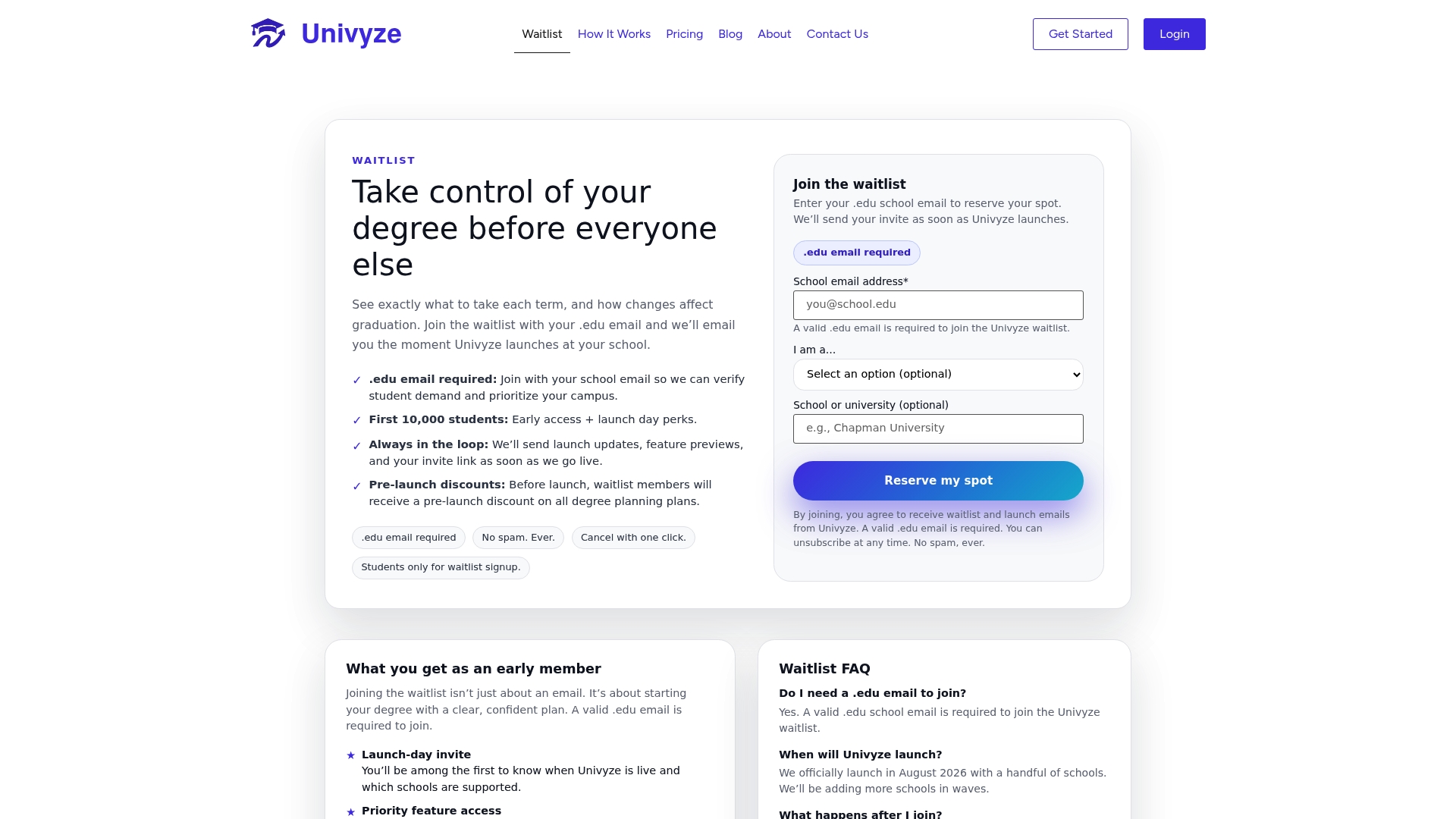
Join the Univyze Waitlist and Plan Around Any Required Class
Univyze is built for exactly the moment this article describes: a required class that’s suddenly a question mark. Instead of guessing whether a full section will actually derail your term, you get a visual, term-by-term map of your degree that connects your actual requirements to real, live course offerings.
That means when a class is waitlisted, you can run a what-if scenario immediately: what happens to your plan if this course opens next term instead of this one? Does a summer session, an AP credit, or a dual-enrollment course fill the gap without pushing your graduation back? Customers also have shared visibility into degree plans, allowing for easier progress tracking without the need for phone calls. It’s a planning tool, not a substitute for your official degree audit or your advisor, so keep using both alongside it.
If you’re ready to see your own degree plan mapped out this way, check the Univyze pricing page for current plan options, or join the Univyze waitlist to get started.
Sources
- Waitlisting FAQ — Oregon State University registrar
- Office of the University Registrar waitlist policy — University of North Carolina
- Waitlists — University of Colorado Boulder registrar
- 6 Tips for Getting Off the Course Waitlist — CollegeXpress
FAQ
How Long Do I Have to Claim a Waitlisted Seat?
Many schools give students about 24 hours from the notification email to claim an offered seat before it moves to the next student, though the exact window varies by campus.
What Causes a Student to Get Skipped on a Waitlist?
The most common causes are unresolved registration holds, unmet prerequisites, and undetected time conflicts, all of which cause the auto-enroll system to skip a student and move to the next one in line.
Should I Email the Professor or Just Wait for the Waitlist to Move?
Do both. Email the instructor with a short, specific message and attend the first class meetings, since showing up in person is a commonly recommended way to secure a discretionary add code, especially in smaller courses.
Does Univyze Guarantee I’ll Get Off a Waitlist or Graduate Early?
No. Univyze is a planning tool that helps you visualize your degree requirements against real course offerings and test backup scenarios, but it doesn’t control course availability or guarantee graduation timing.
How Much Does Univyze Cost?
Current pricing and plan details are listed on the Univyze pricing page, which covers subscription options and one-time plan pricing.