
A graduation hold usually means one office needs a payment, a document, or a signature before your degree can post, but it does not always mean you failed a requirement. Most holds trace back to unpaid balances, missing transcripts, or incomplete grades. Open your student portal, find the hold code and the office listed next to it, and contact that office directly. That single step resolves most holds within days.
TL;DR:
- Most graduation holds are caused by unpaid balances, missing transcripts, or incomplete grades, which can usually be resolved within days by contacting the correct office.
- Different holds block specific services, such as registration, transcript release, or degree certification, so reading the hold message carefully reveals what is actually at stake.
- Common causes include financial obligations, missing transfer documents, incomplete coursework, conduct sanctions, or operational fees; contacting the wrong office delays resolution.
- Graduate and international students face unique holds related to thesis approval, candidacy paperwork, or immigration deadlines; timely communication with officials is essential.
- Using a degree planning dashboard helps identify potential issues early, while a rapid triage checklist accelerates resolution when a hold threatens imminent deadlines.
Table of Contents
- What a graduation hold is and the services it can block
- Common graduation hold reasons, mapped to the office you should contact
- How to check and decode your hold details in the student portal
- Step-by-step actions to clear the most common holds
- Graduate students: thesis, candidacy, and continuous-enrollment holds
- International students: holds, F-1 status, and the 60-day grace period
- How smarter planning prevents common holds
- A 48-hour triage checklist for clearing a hold fast
- Plan ahead with Univyze and avoid the scramble
- Official pages and offices to consult next
- Sources
- FAQ
What a graduation hold is and the services it can block
An administrative hold is a flag your university places on your record to force resolution of an outstanding item before certain services continue. Registrars use holds because a degree, transcript, or registration slot is leverage: once you have the university’s attention, the missing form or payment usually gets handled fast.
Not every hold blocks the same thing. Some prevent registration for next term. Others let you register but stop your transcript from releasing. Some block only your diploma while your degree still posts on your official record, and others stop degree certification entirely until the issue clears. Ohio State’s registrar lists this range explicitly: unpaid balances, missing transcripts, incomplete graduation applications, required advising, academic probation, conduct sanctions, incomplete grades, and missing transfer documentation can all trigger a hold, and the exact services withheld depend on the institution.
This is why two students can both have a “hold” and face completely different situations. One classmate’s hold might only delay a transcript request. Yours might block registration for the spring term. The hold message itself, not the word “hold” alone, tells you what is actually at stake, so read it before assuming the worst.

Common graduation hold reasons, mapped to the office you should contact
Most holds fall into a handful of categories, and each one has a specific office that owns the fix. Calling the wrong department wastes days you may not have if a graduation deadline is close.
- Financial obligations, returned aid, or unmet loan exit counseling: contact the Bursar or Student Accounts office.
- Missing admission or final transfer transcripts: contact Admissions or the Registrar.
- Incomplete, RP, or missing grades: contact the instructor first, then the Registrar or, for graduate students, the graduate program coordinator.
- Graduation application, exit survey, or degree verification not completed: contact the Registrar’s graduation or degree audit office.
- Advising holds, orientation holds, or unmet college-level requirements: contact your academic advisor or department.
- Conduct or academic-integrity sanctions: contact the Community Standards or Student Conduct office.
- Operational holds (parking fines, library fees, immunization records, housing balances): contact Parking Services, the Library, Health Services, or Housing directly.
A single unpaid parking ticket or one missing immunization record can block a diploma the same way an unpaid tuition balance can. Ohio State’s guidance confirms holds are institution-specific: the office that placed the hold is also the only one that can remove it. Skipping straight to the registrar when the real hold belongs to Parking Services just adds a delay.
Graduation-specific holds deserve extra attention. Some schools place a hold the moment you file to graduate, intended to stop you from registering for classes you no longer need. Old Dominion University uses a code along these lines, sometimes labeled “cannot register if graduating.” If your plans change and you will not finish on schedule, the fix is not to keep trying to register. It is to contact the graduation office and formally update your expected graduation term.
How to check and decode your hold details in the student portal
Every student portal displays holds a little differently, but the fields you need are almost always there once you find the right screen.
- Log into your student portal and locate the “Holds” or “To Do List” section, usually under student records or registration.
- Note the hold code and reason listed next to it: this short code (like “FA,” “RG,” or “AD”) tells the system, and eventually the office, exactly what triggered it.
- Check which services are listed as blocked: registration, transcript, diploma, or degree certification are usually itemized separately.
- Find the office name and contact information tied to the hold, which is typically listed directly beneath the code.
- Read any resolution instructions provided, since many portals tell you the exact document or payment needed before you even call anyone.
Before you contact the office, gather what you will likely be asked for: a screenshot of the hold screen, proof of payment or a receipt if it is financial, transcript order confirmation if it is document-related, or your degree audit if the hold concerns unmet requirements.
Pro Tip: Screenshot the hold screen the moment you see it. Portals update quickly once a hold clears, and you will want a record of the original code if you ever need to follow up.
Step-by-step actions to clear the most common holds
The general workflow is the same regardless of hold type: read the hold message, gather documentation, contact the responsible office, complete the required action, then log back in to confirm the hold is gone. Do not assume it cleared just because you paid or submitted something. Verify it in the portal.
For the most frequent hold types, the actions differ:
- Financial holds: pay the balance in full, set up a payment plan, or ask about a temporary lift if you have a job offer, military orders, or a graduate school deadline. Colorado State’s financial holds policy and similar institutional policies show some schools grant narrow exceptions in these cases, though terms vary widely between schools.
- Missing transcripts or transfer documents: order the official transcript from the sending institution, confirm with your registrar that transfer credit posted correctly, and follow up directly with the sending school if it has not arrived after a reasonable window.
- Incomplete or RP grades: contact the instructor to confirm what remains, submit any required work, and ask whether retroactive enrollment is needed if the grade change involves a course you are no longer registered for.
- Conduct holds: attend any required meeting promptly and ask about appeal windows in writing, since conduct resolutions often carry firm deadlines tied to the graduation calendar.
If you cannot clear a requirement before your filed graduation date, do not wait for the deadline to pass. Submit a graduation date-change request with the registrar or graduation office as soon as you know, since Old Dominion’s hold policy and similar institutional practices show this is often the actual fix for a registration hold tied to a graduation filing, not repeated attempts to force a registration through.
Graduate students: thesis, candidacy, and continuous-enrollment holds
Graduate holds are often less about missing coursework and more about missing paperwork. A student can finish every required class and still carry a hold because a form, signature, or committee approval has not gone through.
Common causes include an unapproved thesis or dissertation, incomplete candidacy paperwork, a program GPA that falls short of department minimums, or an RP or I grade attached to a culminating experience course. SJSU’s Graduate Admissions and Program Evaluations office sends graduation hold letters that list exactly which item is outstanding and typically gives students a 30-day window to clear it or file a graduation date change instead.
If your program requires continuous enrollment and you have a gap, ask your graduate coordinator about a thesis continuation or extension course rather than letting the enrollment lapse. Time limits on coursework can also trigger a hold if credits are aging out of the program’s validity window, and the fix is usually a petition for an extension or, in some cases, retroactive enrollment. The graduate program coordinator, not the general registrar, is almost always the right first contact for these holds.
International students: holds, F-1 status, and the 60-day grace period
A campus graduation hold and your immigration timeline are two separate systems, and clearing one does not automatically adjust the other. F-1 students get a standard 60-day period after completing their program to prepare for departure, transfer, or a change of status, according to Study in the States, a Department of Homeland Security resource. That clock is tied to your program completion date in SEVIS, not to whether a campus hold happens to be sitting on your account.
If a hold or an unresolved requirement is genuinely going to delay your program completion for academic or medical reasons, talk to your Designated School Official well before your expected end date.
- Notify your DSO as soon as you suspect a delay, since a program extension request typically needs to be filed before your current completion date.
- Confirm how a graduation date change affects OPT timing if you plan to apply for practical training.
- Check your health insurance and documentation status with your DSO too, since F-1 insurance requirements can affect your standing separately from academic holds.
Letting your completion date lapse without DSO coordination risks falling out of status, regardless of how minor the underlying campus hold was.
How smarter planning prevents common holds
Many holds trace back to planning gaps rather than one-time mistakes: a transfer transcript that never got requested, a prerequisite discovered too late, a last-minute major change that leaves a requirement unmet, or a graduation survey nobody remembered to submit. These are exactly the failure points covered in common planning mistakes that delay graduation.
A degree planning dashboard is a tool to help you visualize your academic progress, but it does not clear holds and is not a substitute for your registrar or advisor. But seeing your term-by-term requirements, transfer credits, and outstanding items in one place catches problems while there is still time to act.
- Term-by-term requirement mapping flags an unmet prerequisite before you register for a course you cannot actually take.
- What-if scenario planning shows the real impact of a major or minor change before it creates a gap.
- Transfer-credit previews help you spot a missing transcript request months before a graduation application, not the week of it.
Pro Tip: If you transferred credit from another school, confirm it posted to your record the same semester you enroll, not the semester you expect to graduate.
A 48-hour triage checklist for clearing a hold fast
When a hold shows up close to a deadline, speed matters more than polish. Screenshot the hold screen, write down exactly what is missing, and gather proof of any payment made or transcript already ordered. Log every contact attempt with a date and a name.
If an office has not responded within a few business days, escalate politely: a follow-up email to a supervisor, or a call to your academic advisor or the dean’s office, usually moves things faster than waiting silently. Keep every email thread and confirmation number until you have confirmed, inside your portal, that the hold is actually gone.
— Ryan
Plan ahead with Univyze and avoid the scramble
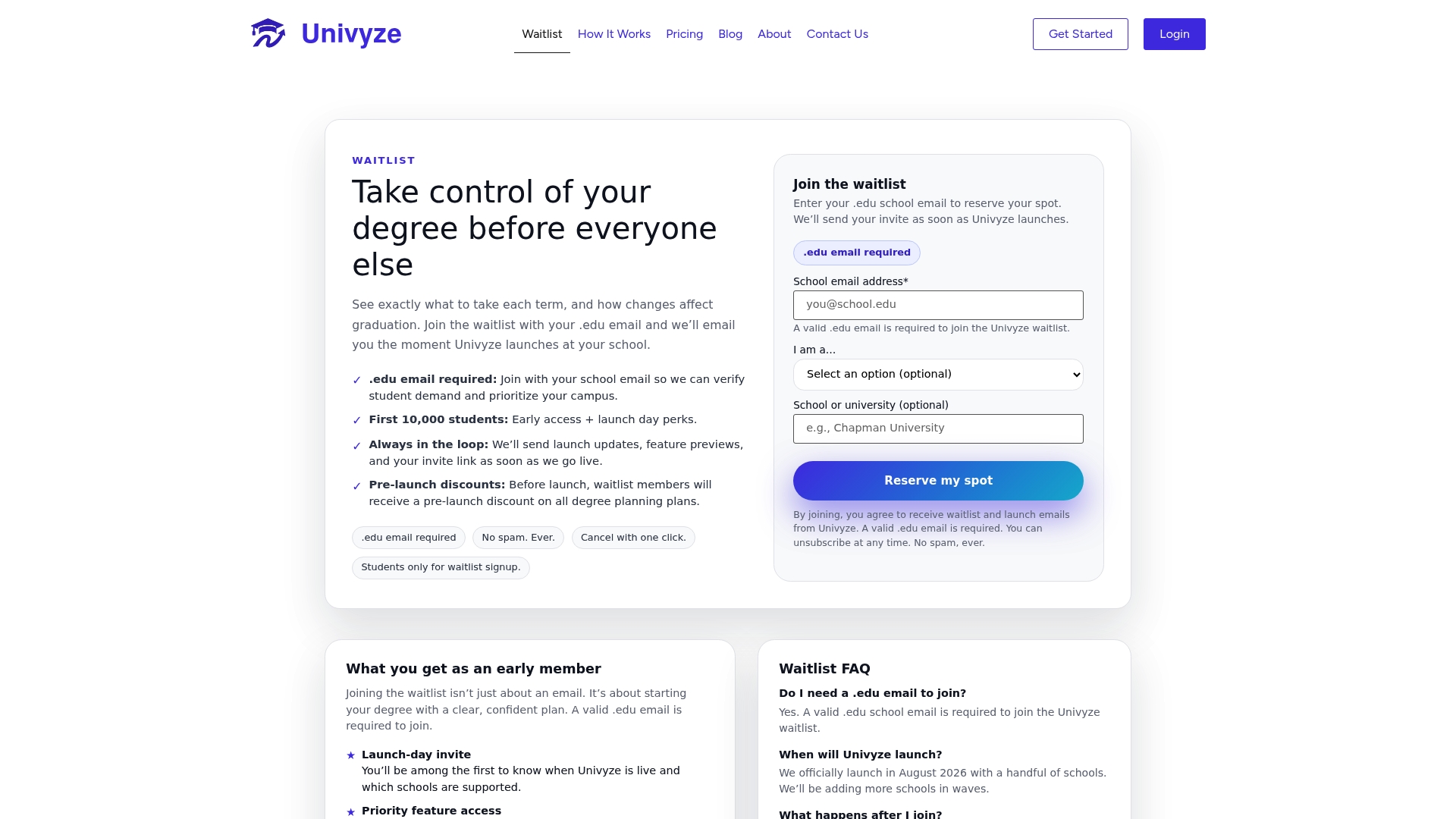
Univyze will not clear a hold for you, and it is not a replacement for your registrar, degree audit, or advisor. What it does is give you a clear, term-by-term view of your requirements, transfer credits, AP credit, and dual-enrollment progress, so the missing transcript or unmet prerequisite gets caught while you still have time to fix it.
- See your full degree plan mapped term by term, including summer sessions.
- Run what-if scenarios before you commit to a major or minor change.
- Track transfer and AP credit alongside your remaining requirements.
Always verify official standing with your university’s degree audit and registrar. Various subscription tiers with differing features are available; current details are on the Univyze pricing page. Join the Univyze waitlist to plan smarter before your next registration window opens.
Official pages and offices to consult next
- Your university registrar’s hold policy page, usually listing every hold code and its owning office.
- Study in the States for F-1 grace period and DSO guidance.
- Your graduate program’s GAPE or graduation hold letter page for candidacy and thesis-related deadlines.
Sources
- Administrative hold information and clearance procedures – The Ohio State University
- Graduation hold letter — Graduate Admissions and Program Evaluations (SJSU)
- Holds — Old Dominion University
FAQ
What does it mean if you have a hold on your college record?
A hold means an office has flagged your account because something is outstanding, such as a balance, a missing document, or an incomplete grade. The specific services blocked, like registration, transcripts, or your diploma, depend on the hold type and your institution, so check the hold message for details.
Do you need a specific number of credits to graduate?
Credit requirements for graduation vary by degree program and institution, so there is no single number that applies to every student. Check your official degree audit or catalog requirements for your specific major to confirm your credit threshold.
What is the grace period for international students in the United States after graduation?
F-1 students generally get 60 days after completing their program to prepare for departure, a transfer, or a change of status, according to Study in the States. This clock runs from your program completion date in SEVIS, so any change to that date should go through your Designated School Official.
Why would you have a hold on your college account?
Holds are typically placed for unpaid balances, missing transcripts, incomplete grades, unfinished graduation applications, required advising, or unresolved conduct issues. The Ohio State registrar lists these as the most common causes, though the exact reason and office responsible will appear directly in your student portal.