

A college schedule building basics checklist is a structured planning tool that maps your required courses, personal commitments, and registration deadlines into one clear action plan. Without it, first-term students routinely end up in conflicting classes, miss add/drop windows, or take courses that don’t count toward their degree. The result is wasted tuition and an extra semester you didn’t budget for. Tools like UNC’s Schedule Builder and FIU’s OneStop waitlist system exist precisely because ad hoc scheduling fails most students. This checklist approach gives you a repeatable process that works every term.
1. What goes on a college schedule building basics checklist?
A complete academic planning checklist starts with your non-negotiables before you touch a single course listing. Write down every fixed commitment: work shifts, athletic practice, family obligations, and commute time. These blocks are off-limits, and every class you register for must fit around them.
Next, pull your degree audit. Your registrar or advising portal shows exactly which requirements you still need to fulfill. Cross-reference that list with courses available this term, and flag any prerequisites you must complete first. Skipping this step is the single most common reason students take a class that counts for nothing toward graduation.
- Fixed commitments: Work, sports, clubs, and commute blocks
- Degree requirements: Required courses, electives, and prerequisite chains
- Credit load target: A realistic number of credits based on your workload capacity
- Schedule versions: At least three builds (dream, realistic, and backup)
- Waitlist plan: Courses to join if your first choices are full
- Deadline calendar: Add/drop dates, refund cutoffs, and enrollment windows
Pro Tip: Before registration opens, build your schedule in a spreadsheet first. Seeing conflicts on paper before you click “enroll” saves real time.
2. How to set a realistic credit load before you register

Credit load is the most underestimated factor in student schedule organization. Most four-year programs expect 15–16 credits per semester to graduate on time. But first-term students who jump straight to that number without accounting for adjustment time often end up dropping courses mid-semester, which triggers fees and transcript notations.
Knowing how many credits to take per semester requires honest self-assessment. If you work 20 hours a week, 15 credits is a heavy lift. If you’re living away from home for the first time, factor in the adjustment period. A lighter first semester with strong grades beats an overloaded one with withdrawals.
The standard rule is one hour of class equals two to three hours of outside work per week. Multiply that by your credit count and compare it to your available hours. That math tells you more than any adviser’s generic recommendation.
3. How to use schedule builder tools effectively
The best scheduling tools do more than show you open seats. UNC’s Schedule Builder lets students create up to 15 separate schedule versions, view them in a calendar layout, and set minimum break times of up to 120 minutes between classes. That break-time feature alone prevents the most common first-term mistake: building a schedule that looks fine on paper but requires teleportation between buildings.
Experts recommend building at least three schedule versions: a dream schedule with your top choices, a realistic schedule accounting for likely full sections, and a backup schedule with tolerable alternatives. Three versions sounds like extra work. It is. It also means you never sit in front of a registration screen with no plan when your first choice is closed.
Pro Tip: Use your registrar’s official tool, not a third-party app, as your primary build. Official tools reflect real-time seat counts and waitlist positions.
- Calendar view: Spot time gaps and back-to-back conflicts visually
- Break settings: Set minimum gaps to account for walking time
- Favorites list: Save preferred sections for fast enrollment when your window opens
- Attribute filters: Filter by course type, general education category, or instructor
- Multiple versions: Build dream, realistic, and backup schedules simultaneously
4. How registration timing affects your course selection guide
Registration opens on a rolling schedule, and your enrollment window determines which seats are still available when you log in. Upperclassmen register first at most universities. That means first-term students often face full sections in popular courses. Knowing this in advance changes how you plan.
Log into your student portal the day your window opens, not the day after. Every hour of delay costs you seats. Have your schedule versions ready before that moment so you’re clicking “enroll,” not still deciding which section to take.
The best way to avoid conflicts and surprises is planning directly with official registrar tools that reflect real-time seat availability, waitlists, and course requirements. Guessing from a PDF course catalog is not a substitute.
5. What students need to know about add/drop deadlines
Add/drop policies vary by institution, but the pattern is consistent: the earlier you act, the fewer the consequences. At the University of Washington, early drops carry no fees and don’t appear on your transcript. Late drops carry fees and may show up permanently. That distinction matters when a future employer or graduate school reviews your record.
Texas A&M allows drops with full refunds during the first five class days. After the 12th class day, refunds stop entirely and adding courses becomes restricted. Most universities follow a similar tiered structure, even if the exact dates differ.
Build your backup schedule with these deadlines in mind. If you need to swap a course, you want to do it inside the refund window, not after it. Add/drop deadlines vary week by week in fees and transcript impact, making it critical to align your backup plan with your institution’s specific timeline.
- Check your institution’s academic calendar for the exact add/drop window before registration opens.
- Note the refund cutoff date separately from the transcript notation deadline. They are often different.
- Build your backup schedule before the semester starts, not after you realize a class isn’t working.
- Submit any drops or adds through the official registrar portal, not by emailing a professor.
- Confirm enrollment changes with a system-generated confirmation email or receipt.
6. How waitlists work and why you should use them
Waitlists are one of the most underused tools in a student’s course selection guide. FIU’s OneStop system lets students select “Add to waitlist if class is full” during registration and assigns a numbered position. When a seat opens, the system auto-enrolls the next student and sends a notification. That automation removes the need to refresh a page obsessively.
Adding yourself to a waitlist early in registration increases your chances of auto-enrollment if seats open. This should be part of your initial schedule plan, not an afterthought after your first choice closes. Treat waitlist positions as real schedule options, not long shots.
Official waitlist systems provide transparent queuing and automated enrollment notifications. Informal methods, like asking a classmate to hold a spot or trading seats, risk losing your position and violating registrar policies. The University of Washington explicitly warns against improper registration practices and treats them as disciplinary matters.
7. Common scheduling pitfalls first-term students make
Most scheduling mistakes are predictable. Knowing them in advance is the fastest way to avoid them.
“The students who struggle most in their first term aren’t the ones who picked hard classes. They’re the ones who built schedules with no margin for error and no backup plan.”
The most common pitfalls in student schedule organization include:
- Overloading credits: Taking 18 credits in your first term without testing your capacity is a high-risk move. Start at 12–15 and adjust upward once you know your pace.
- Ignoring walking time: A 10-minute gap between classes on opposite ends of campus is not a break. It’s a sprint. Use break-time settings in tools like UNC’s Schedule Builder to build in realistic transitions.
- Missing registration windows: Your enrollment date is not a suggestion. Missing it by even one day can cost you the sections you need.
- Relying on informal seat trades: Asking someone to drop a class so you can grab the seat is a policy violation at most universities. Use the official waitlist instead.
- Skipping the backup schedule: Students who build only one schedule version have no plan when sections fill. Build three versions before your window opens.
- Ignoring prerequisites: Registering for a course you’re not eligible for wastes a seat and gets you dropped by the registrar, often after the add/drop window closes.
Learning how to pick the best college classes for your schedule and GPA means avoiding these traps before they cost you time or money.
Key takeaways
A complete college schedule building basics checklist combines credit load planning, official scheduling tools, waitlist strategy, and deadline awareness into one repeatable process that protects your time and your transcript.
| Point | Details |
|---|---|
| Build three schedule versions | Prepare dream, realistic, and backup schedules before your enrollment window opens. |
| Know your add/drop deadlines | Early drops avoid fees and transcript notations; late drops carry lasting consequences. |
| Use official waitlists | Systems like FIU’s OneStop auto-enroll you when seats open, safely and transparently. |
| Set realistic credit loads | Match your credit count to your actual available hours, not a generic target. |
| Register the moment your window opens | Every hour of delay costs you seats, especially as a first-term student. |
What I’ve learned from watching students build their first schedules
Most first-term students treat schedule building like a one-shot event. They log in on registration day, pick classes that fit their sleep schedule, and call it done. That approach works until it doesn’t, which is usually around week two when they realize a required course is full and the add/drop window is closing.
The students who get it right treat scheduling as a multi-week process. They pull their degree audit in advance. They build multiple versions. They know their add/drop dates before registration even opens. They also talk to their academic adviser, not to get permission, but to catch blind spots they missed.
One thing most articles won’t tell you: the backup schedule is more important than the dream schedule. Your dream schedule is what you want. Your backup schedule is what keeps you on track when reality intervenes. Spend equal time on both.
Balancing your academic load with your mental and physical health is not a soft consideration. It’s a scheduling variable. A student who burns out in week six and withdraws from two courses loses more than tuition. They lose momentum. Building in recovery time and manageable credit loads from the start is the most practical thing you can do for your GPA.
Schedule building is iterative. Your first version will not be your final one. That’s not failure. That’s the process working correctly.
— Ryan
Univyze makes smarter schedule planning easier
Building a schedule that actually moves you toward graduation takes more than a good checklist. It takes visibility into which courses count, which sequences make sense, and where conflicts are hiding before they become problems.
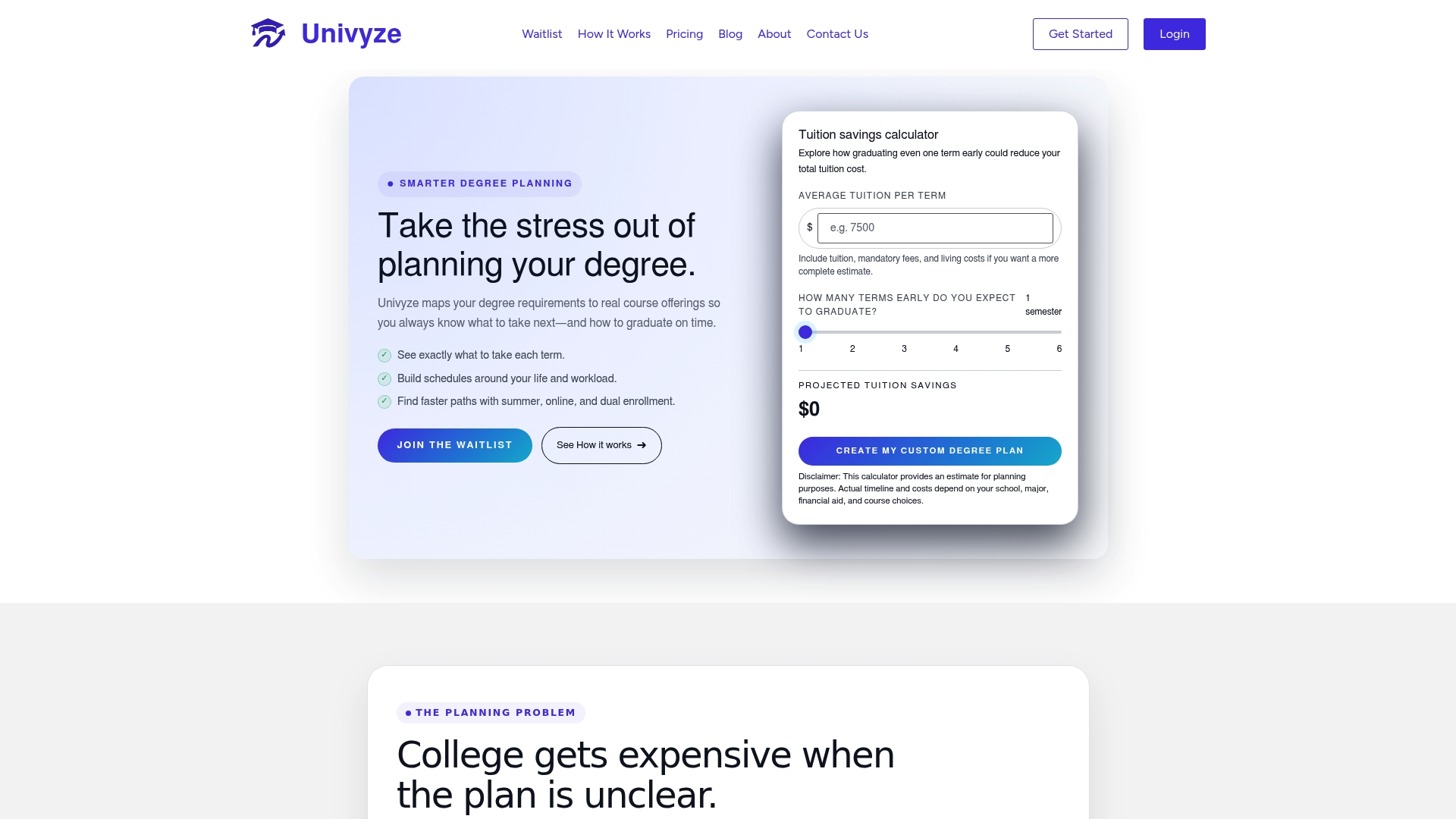
Univyze gives students a dynamic dashboard that connects degree requirements to real course offerings, so you can see your full academic path in one place. Whether you’re picking classes for the first time or adjusting after an unexpected major change, Univyze helps you choose classes that count toward graduation and avoid the extra semesters that drain your budget. See how Univyze works and build your next schedule with confidence.
FAQ
What is a college schedule building basics checklist?
A college schedule building basics checklist is a step-by-step planning tool that covers credit load, degree requirements, registration deadlines, and backup schedule versions. It helps first-term students register efficiently and avoid costly mistakes.
How many schedule versions should I build?
Build at least three versions: a dream schedule, a realistic schedule, and a backup. Tools like UNC’s Schedule Builder support up to 15 versions, giving you room to experiment before your enrollment window opens.
When should I add myself to a waitlist?
Add yourself to a waitlist as early as your registration window allows. Systems like FIU’s OneStop assign numbered positions and auto-enroll you when a seat opens, so earlier is always better.
What happens if I miss the add/drop deadline?
Missing the add/drop deadline can result in fees, a course notation on your transcript, or both. At Texas A&M, refunds stop after the 12th class day. Check your institution’s specific calendar before registration begins.
How do I avoid overloading my first-term schedule?
Calculate your available weekly hours, then apply the standard rule: one credit hour equals two to three hours of outside work per week. Compare that total to your actual schedule before you finalize your registration.
Recommended
- How to Pick the Best College Classes for Your Schedule and GPA – univyze.com
- How to Choose Classes That Actually Count Toward Graduation (And Avoid Wasting Time and Money) – univyze.com
- How Many Credits Should You Take Per Semester? A Complete College Planning Guide – univyze.com
- CSULB LANDING PAGE – univyze.com