
Your catalog year is the specific edition of your school’s academic catalog, tied to a school year like 2024–2025, that sets the exact courses and units you need to graduate. It’s usually locked in at your first term of continuous enrollment, though certain policies let you shift to a later one. Don’t guess. Confirm the actual year on your degree audit or with your advisor before you build a class schedule around it.
TL;DR:
- Your catalog year is assigned based on your first term of continuous enrollment and cannot be changed retroactively to an older version.
- You typically stay under the same catalog throughout your degree unless you petition and gain approval to switch to a newer edition.
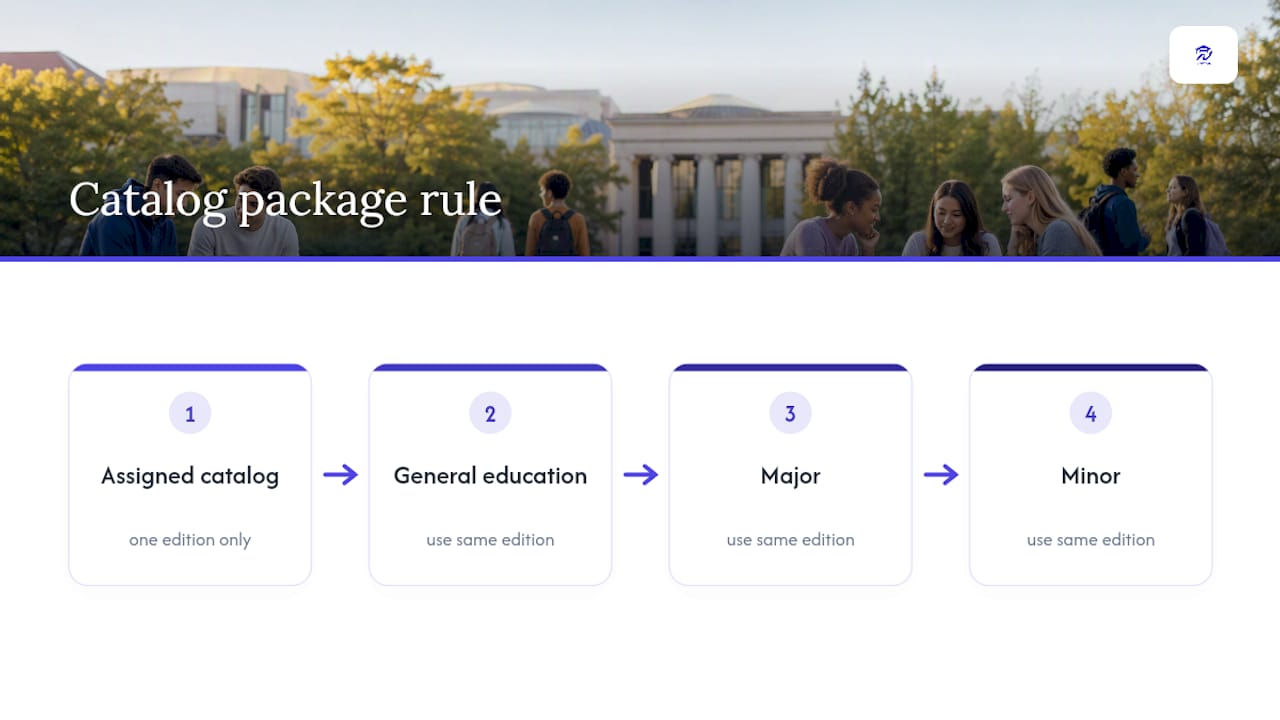
- You must use requirements from the same catalog year for general education, major, and minor, due to the package rule that prevents mixing different editions.
- Confirm your catalog year through your degree audit, registrar’s archive, or by speaking directly with your advisor, and keep that record for reference.
- Changing catalog years involves a formal process and should be carefully planned to avoid courses not being available or extending your graduation timeline.
Table of Contents
- What Catalog Year Means and How It Maps to Your Degree
- How Your Catalog Year Gets Assigned
- Continuous Enrollment, Catalog Rights, and the Package Rule
- Changing Your Catalog Year: What’s Allowed and What Isn’t
- Where to Confirm Your Official Catalog Year
- How a Planning Dashboard Like Univyze Handles Catalog-Year Scenarios
- Confirm Before You Commit
- See Your Catalog Year Requirements Mapped Term by Term
- Sources
- FAQ
What Catalog Year Means and How It Maps to Your Degree
A catalog year is the academic year edition of your school’s course catalog that governs your specific degree requirements. Most academic years run fall through spring and into the following summer term, which is why you’ll see catalog years written as a range, like a range indicating the academic year instead of a single date.
Every catalog edition spells out three layers of requirements that apply to anyone assigned to that year:
- General education courses everyone on campus needs, regardless of major
- Major-specific coursework, unit totals, and prerequisite sequences
- Minor requirements, which can sometimes carry a different catalog year than your major
Schools freeze these requirements into a single published edition for a reason. Curriculum committees revise courses constantly, adding prerequisites, retiring outdated classes, adjusting unit counts. Without a fixed reference point, no two students could be held to the same standard, and accreditation reviewers couldn’t verify that a graduating class actually met a consistent bar. The catalog year is what makes your degree audit possible in the first place.
How Your Catalog Year Gets Assigned
Registrars don’t ask you to pick a catalog year. They assign one automatically, and the rule is more mechanical than most students expect.
- First term of continuous enrollment. You’re placed into whichever catalog was active the term you first enrolled and started classes, not the term you applied or got accepted.
- Summer start dates roll forward. If your first term is a summer session, many institutions map you to the following fall catalog rather than creating a separate summer-only edition.
- Transfer students often keep their prior clock running. If you transferred without a real gap in enrollment, some campuses let your catalog year trace back to when you originally started college, not when you arrived on the new campus.
- Readmission usually resets the clock. Come back after a long break and you’ll typically fall under whichever catalog is active at the time you’re readmitted, not the one from your first stint.
The pattern in each case is the same: your catalog year tracks your actual, unbroken presence in the system, not your intentions or your admission letter.
Continuous Enrollment, Catalog Rights, and the Package Rule
Continuous enrollment means you haven’t stepped away from your program for longer than your school’s grace window, commonly around two years before you’re treated as a returning student rather than a currently enrolled one. Stay inside that window and you generally keep what’s called catalog rights: the right to graduate under the requirements that existed when you first enrolled, even if the department has since rewritten half the major.
That protection matters more than it sounds. Curriculum changes can add units, swap prerequisite courses, or eliminate electives you were counting on. Catalog rights insulate you from having the rug pulled mid-degree.
There’s a catch, though, and it trips up more students than any other part of this system. You cannot cherry-pick. If you’re assigned the 2024-2025 catalog, your general education, major, and minor requirements all have to come from that same 2024-2025 edition. You can’t run your major under a newer catalog because it dropped a class you hate while keeping your GE requirements under the older, more lenient version. Registrars call this the package rule, and it applies across every requirement category at once.
Changing Your Catalog Year: What’s Allowed and What Isn’t
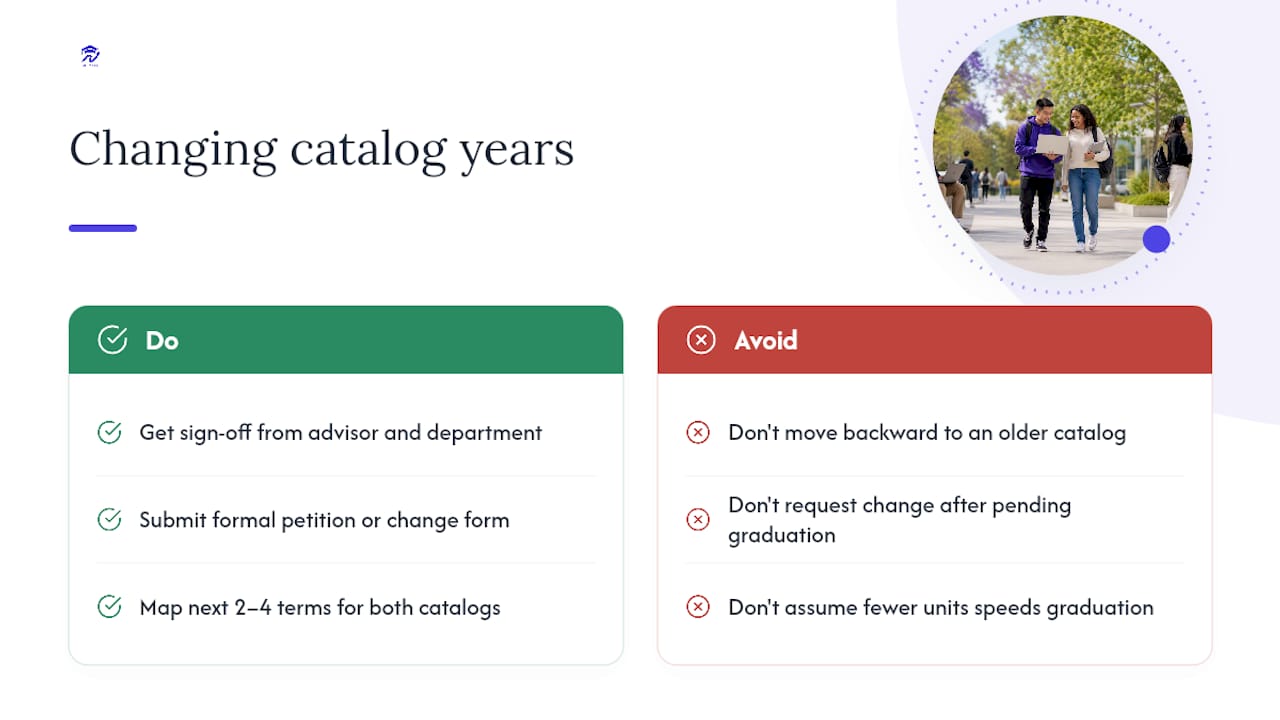
Switching to a later catalog year is usually possible, but it isn’t automatic. You typically need sign off from your advisor, your major department, and sometimes the registrar’s office, often through a formal petition or change-of-catalog form.
Two constraints show up almost everywhere. First, you generally can’t move backward to an older catalog than the one you were originally assigned, even if the older version required fewer units. Second, once you’re flagged as pending graduation, most schools freeze your catalog year entirely because the final degree audit locks to a single edition during conferral processing.
The decision itself is a trade-off, not a freebie. A newer catalog might trim your total units, but if it requires a course that isn’t offered again for another two semesters, you could lose more time than you save.
Pro Tip: Before petitioning to change catalog years, map out the next 2 to 4 terms under both versions and count actual course availability, not just listed unit totals. A “lighter” catalog on paper can still delay graduation if its required classes run only once a year.
Where to Confirm Your Official Catalog Year
Don’t rely on memory or assumption here. Your official catalog year is a recorded data point, and there are exactly a few places to check it.
- Your degree audit or Academic Requirements Report, usually displayed near the top of the page
- Your school’s registrar catalog archive, searchable by academic year
- A “what if” audit run, which lets you preview how your requirements would look under a different catalog year before you commit to switching
- Your academic advisor or registrar’s office directly, if the audit isn’t showing a clear answer
When you get confirmation from an advisor or registrar, especially anything involving a catalog change, save it. Screenshot the audit, keep the email thread, note the date. If a policy shifts again later, that record is your proof of what you were told and when. For a broader walkthrough of degree audits and how they connect to graduation timelines, Univyze’s degree requirement checklist breaks down what to look for.
How a Planning Dashboard Like Univyze Handles Catalog-Year Scenarios
Univyze maps your term-by-term plan against your assigned catalog year, factoring in AP credit, dual enrollment, and transfer units as they’d actually apply to your requirements. Its what-if tool lets you preview how switching majors or catalog years would reshuffle your remaining coursework, similar to how UCI’s DegreeWorks surfaces catalog data inside a degree audit.
None of that replaces your official audit. Univyze is a planning aid, not a system of record, so any catalog-year decision still needs sign off from your registrar or advisor before you act on it.
Confirm Before You Commit
Verify your catalog year before you let it steer a single course selection. Get that confirmation in writing from your advisor or registrar, whether it’s an email or an audit printout, so you have something to point back to if a requirement gets disputed later.
— Ryan
See Your Catalog Year Requirements Mapped Term by Term
Univyze is built for exactly the confusion this article just walked through: figuring out which requirements actually apply to you and what switching catalog years or majors would really cost you in time. Instead of digging through a static registrar PDF, you get a term-by-term view that folds in AP credit, dual enrollment, transfer credits, and summer sessions automatically.
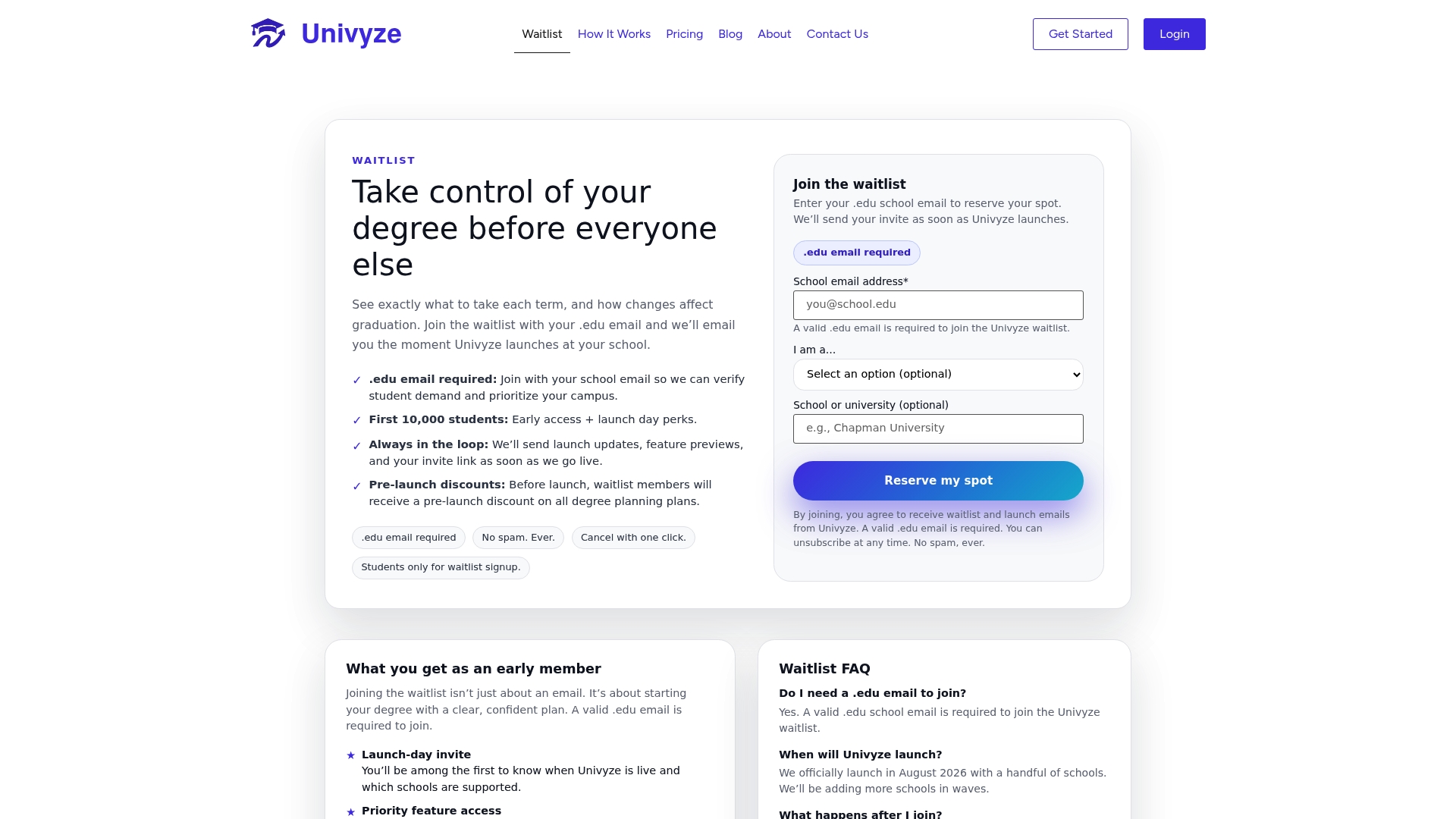
The what-if planning tool lets you model a catalog-year change or major switch before you petition anything, so you walk into your advisor meeting with a real comparison instead of a guess. Univyze also gives parents visibility into progress, which cuts down on the usual “wait, how many units do you actually have left” conversation. It’s a planning tool, and not an official audit, so any change you’re considering still needs your registrar’s and advisor’s confirmation. If you want a clearer picture of your own path, check out how degree planning software works and join the Univyze waitlist to get early access.
Sources
- Glossary of academic terms | Academic Catalog (ASU)
- Catalog Year | University of Louisville Academic Catalogs
- Catalog year – Office of the University Registrar (KU)
- Understanding your catalog year | CSUF
FAQ
What does “catalog year” mean?
It’s the specific academic-year edition of your school’s catalog, such as 2024-2025, that defines which general education, major, and minor requirements you must complete to graduate.
What do I put for my catalog year?
Use the year listed on your degree audit or Academic Requirements Report, not the year you applied or got accepted. If it’s not listed there, ask your advisor or registrar directly.
What is your current catalog year meaning, and can it change?
It means the requirement set you’re currently held to, and yes, it can change if you petition for a later catalog through your advisor, department, and registrar, though older catalogs are usually off limits once you’ve been assigned a newer one.
How do I know my catalog year?
Check the top of your degree audit first. If it’s unclear, your registrar’s catalog archive or a direct message to your academic advisor will confirm it, and it’s worth saving that confirmation for your records.