
An enrollment verification is the official document your school issues to confirm your student status, whether you’re full-time or part-time, along with your dates of attendance and often your expected graduation term. Your university’s Registrar issues these directly, or authorizes the National Student Clearinghouse (MyHub) to generate them automatically through your student portal.
You’ll typically need one for:
- Health insurance companies confirming your eligibility for a parent’s plan
- Lenders processing a student loan deferment
- Employers verifying your degree or current enrollment
- Scholarship providers or landlords requiring proof of status
Key Takeaways
Enrollment verification is an official, Registrar-backed or NSC-issued document confirming your student status, dates of attendance, and often your expected graduation term, and it never includes grades or transcripts.
| Point | Details |
|---|---|
| What it confirms | Enrollment status, attendance dates, and expected graduation, not grades or course details. |
| Two main issuers | Your Registrar handles custom requests; National Student Clearinghouse/MyHub handles instant automated certificates. |
| Processing time varies | Instant through MyHub; 1 to 9 business days for custom or notarized Registrar requests. |
| What blocks issuance | Financial holds, directory opt-out settings, and add/drop reporting lags. |
| Plan ahead with Univyze | Univyze helps you track progress and spot conflicts early, reducing the holds that can delay verification. |
Table of Contents
- What Does an Enrollment Verification Definition Actually Cover?
- Who Issues Verifications and How Do You Get One?
- Why Would You Need an Enrollment Verification?
- How to Request an Enrollment Verification Step by Step
- What Should You Check Before Submitting the Document?
- Why Do Enrollment Verifications Get Delayed?
- What Should You Have Ready Before Requesting One?
- Why Accurate Enrollment Records Matter for Your Planning
- How Univyze Helps You Avoid Enrollment Surprises
- Sources
- FAQ
What Does an Enrollment Verification Definition Actually Cover?
The standard fields on an enrollment verification letter are fairly consistent across schools, even though the layout varies. You’ll usually see your full name, your term-by-term dates of attendance, enrollment status for each term (full-time or part-time), your class level, your college or major, and your expected graduation term. Some letters also list degrees already awarded.
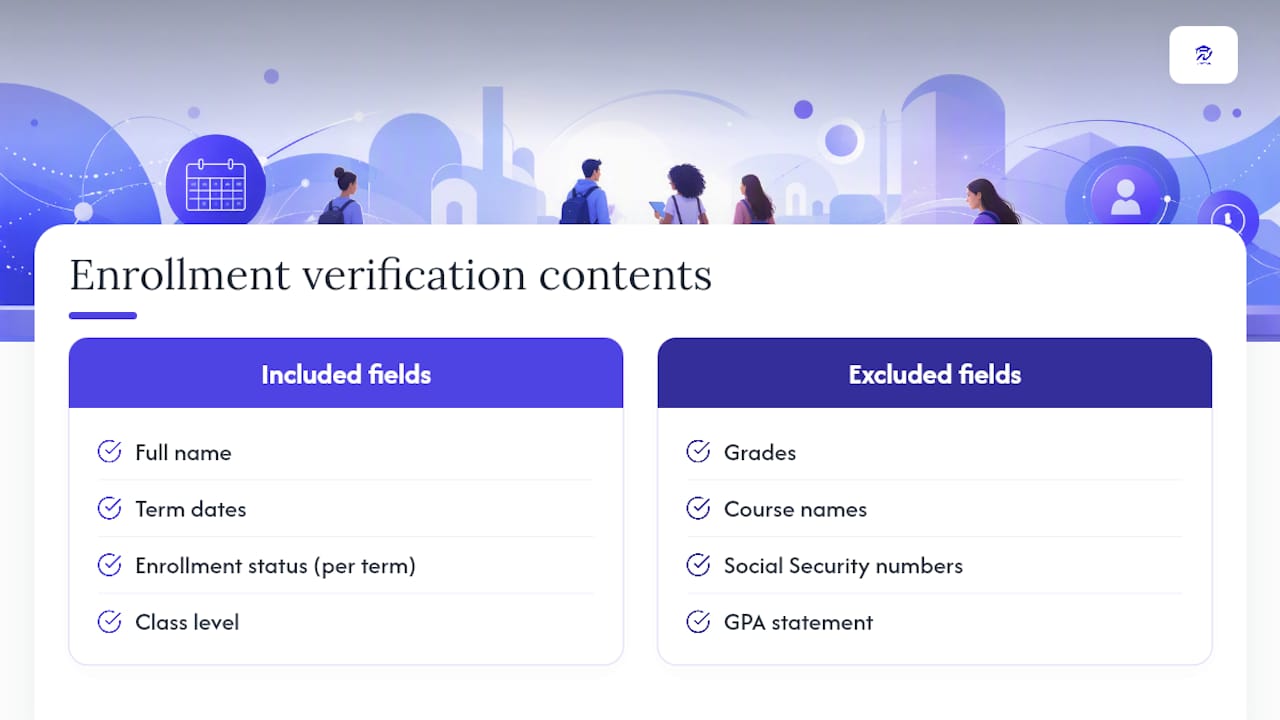
What you won’t find is just as important. Penn State’s Registrar notes that verifications exclude grades and Social Security numbers, and UCLA’s proof of enrollment letters leave out course names and grades entirely. This isn’t an oversight. Enrollment verification exists to confirm status, not academic performance, so schools deliberately keep it separate from your transcript. A transcript answers “how did this student do?” A verification answers “is this person actually enrolled?” Different questions, different documents.
Pro Tip: If you need something beyond the standard letter, like a GPA statement, notarized copy, or specific wording a lender requires, ask your Registrar’s office directly rather than assuming the automated system covers it. Custom requests go through a separate form and take longer to process.
Who Issues Verifications and How Do You Get One?
Two systems handle most enrollment verification requests, and knowing which one applies to your situation saves time.
Registrar-issued letters come straight from your university’s records office. They carry the Registrar’s signature and the school seal, and they’re the go-to option when you need something custom, like a notarized copy or specific wording a lender or embassy requires. The National Student Clearinghouse’s MyHub service handles the automated, high-volume side. Most large universities have authorized NSC to generate instant PDF certificates that students can download themselves or that employers and lenders can pull directly through NSC’s verification gateway.
Delivery formats break down a few ways:
- Instant PDF download through your student portal or MyHub
- Emailed certificate for standard requests
- Mailed hard copy on security paper with an original seal and signature
- Direct NSC gateway access for employers, lenders, or background-check companies
Fee structures differ sharply depending on who’s asking. Student self-service through your university’s own portal is usually free. Third-party requests routed through NSC’s automated system typically run $4.95 to $19.95 per certificate, depending on the verification type and how fast you need it.
Why Would You Need an Enrollment Verification?
The most common trigger is health insurance. Many plans require proof of full-time student status to keep a dependent covered past age 18 or so, and insurers usually want a fresh letter each academic year. Beyond that, you’ll run into verification requests constantly during college and after.
- Loan servicers requiring proof of enrollment to approve or extend a deferment
- Employers confirming your degree or current student status before a job offer
- Scholarship committees requiring continued enrollment proof to release funds
- Landlords or housing programs asking for status confirmation
- Background check companies verifying claimed education history
Veterans and dependents using GI Bill or other VA education benefits deal with a completely separate system. The VA requires a monthly enrollment verification confirming your credit hours and training dates are unchanged, submitted through the VA’s own online portal, text alerts, or Ask VA tool. This has nothing to do with your school’s standard verification process and skipping it can delay your benefit payments.
One more distinction worth knowing: lenders and employers often bypass you entirely and query NSC’s database directly if your school participates. If someone asks you for “verification” out of nowhere and you never requested anything, that’s usually why.
How to Request an Enrollment Verification Step by Step
The exact process depends on whether you’re a current student, an alum, or a third party requesting on someone else’s behalf.
- Current students start in the student portal. Look for “Enrollment Verification” or “MyHub” under academic records. Certificates for the current term often aren’t available until a few weeks after add/drop closes, since enrollment data needs to reflect finalized schedules.
- Alumni and former students typically use the same MyHub/NSC access, or contact the Registrar directly if NSC access has lapsed. Expect a small third-party fee if requesting through NSC.
- Third parties (employers, lenders) submit a signed release from the student, or query NSC’s verification gateway if your school participates. Loan deferment forms usually have a section your school completes and returns to the servicer.
- Special requests, like GPA verification or notarized copies, go through a Registrar form instead of the automated system, and take longer.
| Request Type | Typical Processing Time |
|---|---|
| Instant NSC/MyHub certificate | Immediate, self-service |
| Standard Registrar letter | 1 to 3 business days |
| Custom or notarized request | Up to 1 to 9 business days |
| Current-term certificate right after add/drop | Delayed until data updates |
Pro Tip: If you’re on a deadline, request the automated certificate first even if it’s not exactly what’s needed. It’s proof you’re actively pursuing the correct document, which sometimes buys goodwill with a lender or insurer while the custom letter processes.
What Should You Check Before Submitting the Document?
Before you hand off a verification to an insurer, employer, or lender, run through the details. Errors are more common than you’d think, especially around name changes, transferred credits, or a recent major switch.
- Confirm your legal name matches exactly (no old maiden names or nicknames)
- Check that terms and attendance dates line up with your actual enrollment history
- Verify enrollment status per term is correct, especially if you dropped below full-time at any point
- Confirm your expected graduation term reflects your current plan, not an outdated one
- Look for the Registrar’s signature or seal if the letter is meant to be “official”
FERPA governs a lot of what shows up, or doesn’t, on your record. If you’ve opted out of “directory information” sharing at some point, standard online verification requests will often be blocked automatically, and you’ll need to go through a manual process with photo ID.
- If details are wrong, contact your Registrar’s records office, not the department that flagged the error to you.
- Bring or upload a photo ID and any documentation supporting the correction (marriage certificate for a name change, for example).
- If a financial hold is blocking issuance, resolve it with the bursar’s office first. Verifications will not process until the hold clears.
Why Do Enrollment Verifications Get Delayed?
Most delays trace back to timing gaps between when something changes on your record and when the system reflects it. Reporting isn’t always instant, and knowing why helps you plan around it instead of panicking two days before a deadline.
- Add/drop periods create a lag before your current schedule reflects in verification systems
- NSC-authorized workflows frequently update on a monthly cycle, so a class you just added might not show for weeks
- Registrar processing queues back up during peak periods (semester start, financial aid deadlines)
- Financial or administrative holds stop issuance entirely until resolved
Term-specific waiting periods are common. Some schools won’t issue a current-term certificate until a set number of weeks into the semester, once enrollment data has stabilized past the add/drop window.
If a lender or insurer needs proof right now and the automated system hasn’t caught up, call the Registrar’s office directly. Many will issue a temporary confirmation letter manually while the full record updates, especially for time-sensitive deferments.
What Should You Have Ready Before Requesting One?
Keep a small folder, digital or physical, with these items so you’re never scrambling when a request comes in:
- Photo ID (student ID usually works for portal requests; government ID for manual requests)
- Your student ID number
- The exact verification type needed (standard letter, GPA statement, notarized copy)
- Recipient’s full name, organization, and mailing or email address
- Any pre-filled forms from a lender or insurer that need a signature section completed
A tight, specific request moves faster than a vague one. Something like: “I need an enrollment verification letter confirming full-time status for Fall 2026, addressed to [Lender Name] at [address], for loan deferment purposes” gives the Registrar’s office everything it needs in one pass.
Pro Tip: If you need the document notarized or mailed on official security paper, say so in your first message. Asking after the fact usually means starting the request over.
Why Accurate Enrollment Records Matter for Your Planning
A verification only works if the underlying record is accurate, and that’s the part students overlook. I’ve seen how a single overlooked prerequisite or an unresolved hold can quietly throw off someone’s whole term, not just their verification request but their actual path to graduation. When your enrollment status, credits, and expected graduation term are murky in your own head, they tend to be murky everywhere else too, including the document a lender or insurer is staring at.

That’s the gap Univyze is built to close. It won’t issue your official verification, that’s still your Registrar’s job, but it gives you a live, visual read on where you actually stand: what’s completed, what’s left, and how your current schedule lines up with your expected graduation term. Students who use tools like this tend to spot a scheduling conflict or a missing requirement before it becomes the kind of hold that delays a verification request. If you want a clearer, term-by-term view of your own progress, join the Univyze waitlist and see how it fits into your planning.
How Univyze Helps You Avoid Enrollment Surprises
Most tools that touch your academic record stop at reporting what already happened. Univyze works differently: it maps your remaining requirements against real course offerings so you can see, term by term, whether your plan actually holds up before registration even opens. That matters directly for enrollment verification, because the students who scramble for last-minute letters are usually the ones blindsided by a schedule conflict, a missed prerequisite, or a hold they didn’t see coming.
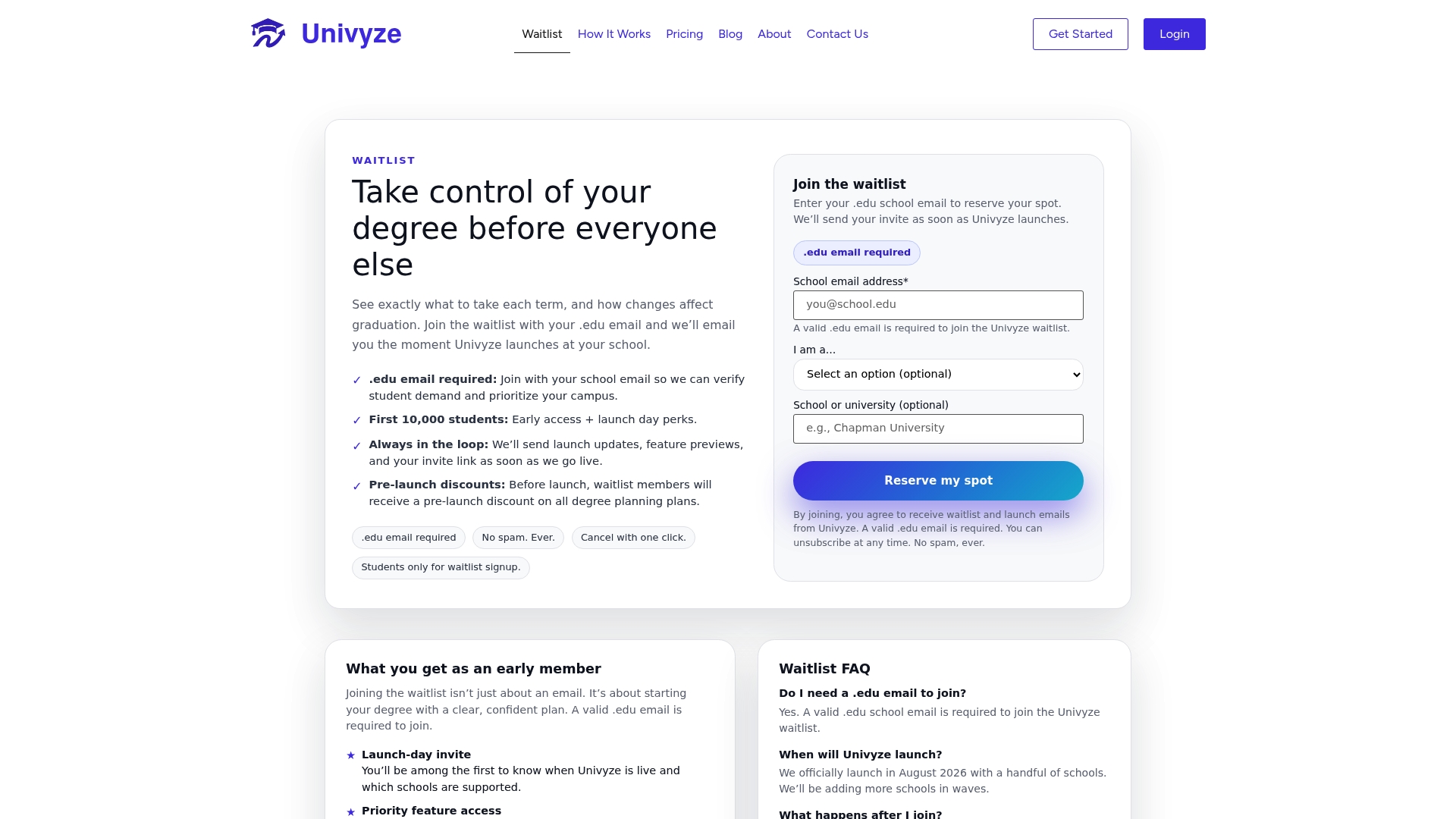
Univyze’s dashboard shows your degree progress, expected graduation term, and potential conflicts in one place, including AP credit, dual enrollment, and transfer credits factored into your plan automatically. Parents get the same visibility, which cuts down on the back-and-forth when insurance or loan paperwork suddenly needs a status update. To be clear, Univyze isn’t your official degree audit or a replacement for your advisor. You’ll still confirm requirements with your university catalog and Registrar. But for spotting the kind of enrollment issues that can delay a verification request, Univyze’s planning dashboard gives you a head start most students don’t have. Join the waitlist and see your term-by-term plan mapped out before your next registration window opens.
Sources
- Verify your school enrollment | U.S. Department of Veterans Affairs
- Enrollment verification | University of New Hampshire Registrar
- Enrollment verifications – Penn State Registrar
- Enrollment verification | University at Albany Registrar
- Proof of enrollment | UCLA Registrar’s Office
FAQ
What is an enrollment verification for?
It’s used to prove your student status to a third party, most often insurers, lenders processing loan deferments, employers, or scholarship providers, without disclosing grades or transcript details.
How long does the VA take to process enrollment verification?
VA enrollment verification is a separate monthly certification, not a one-time letter, and the VA processes it through online, text, or Ask VA submissions each month to confirm credit hours and training dates.
How do I get my verification of enrollment?
Current students usually get it instantly through their student portal or NSC’s MyHub; custom or notarized requests go through the Registrar’s office and can take 1 to 9 business days.
How long does enrollment verification take through NSC?
Certificates through National Student Clearinghouse/MyHub are typically instant for standard requests, though current-term certificates may be delayed until enrollment data updates after add/drop.
Can Univyze issue an official enrollment verification?
No. Univyze is a degree-planning dashboard, not a registrar system, so your official verification still comes from your university or NSC; Univyze simply helps you track progress and spot issues that could delay one.